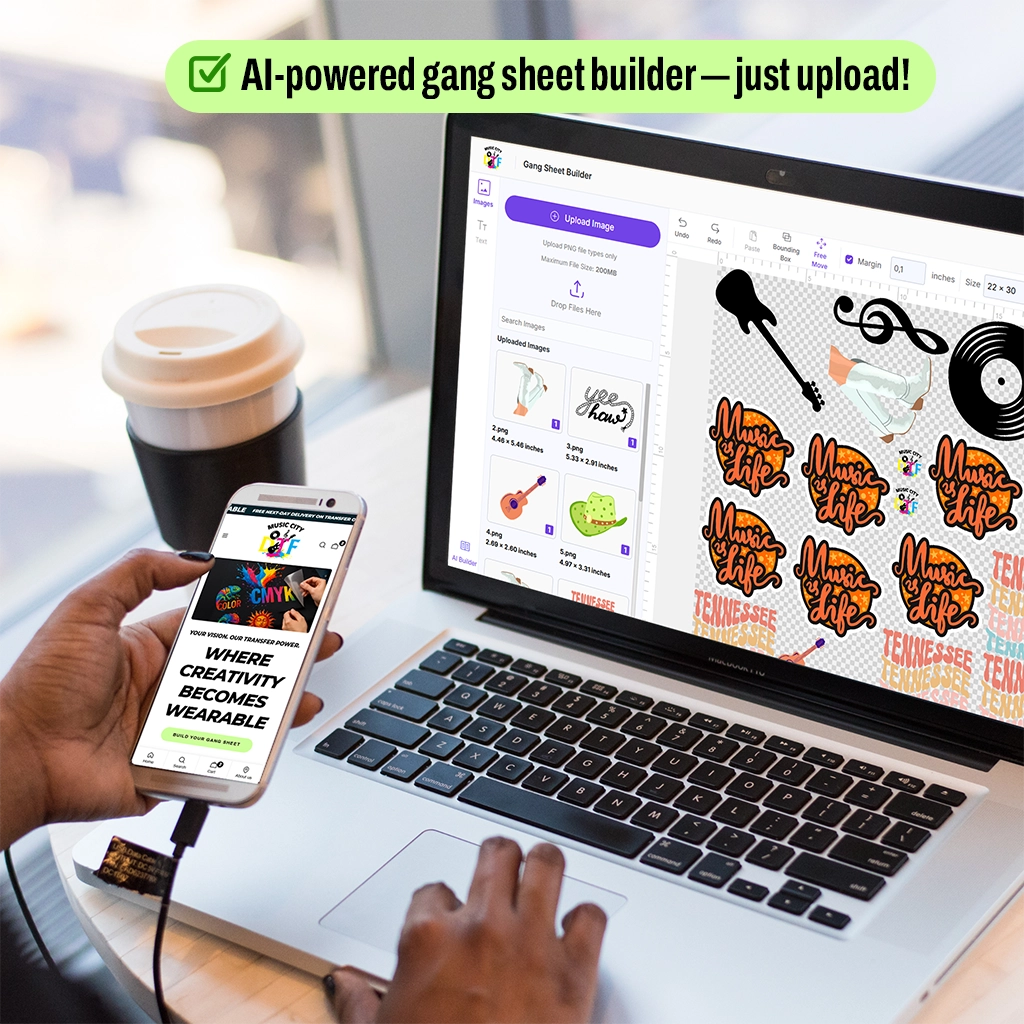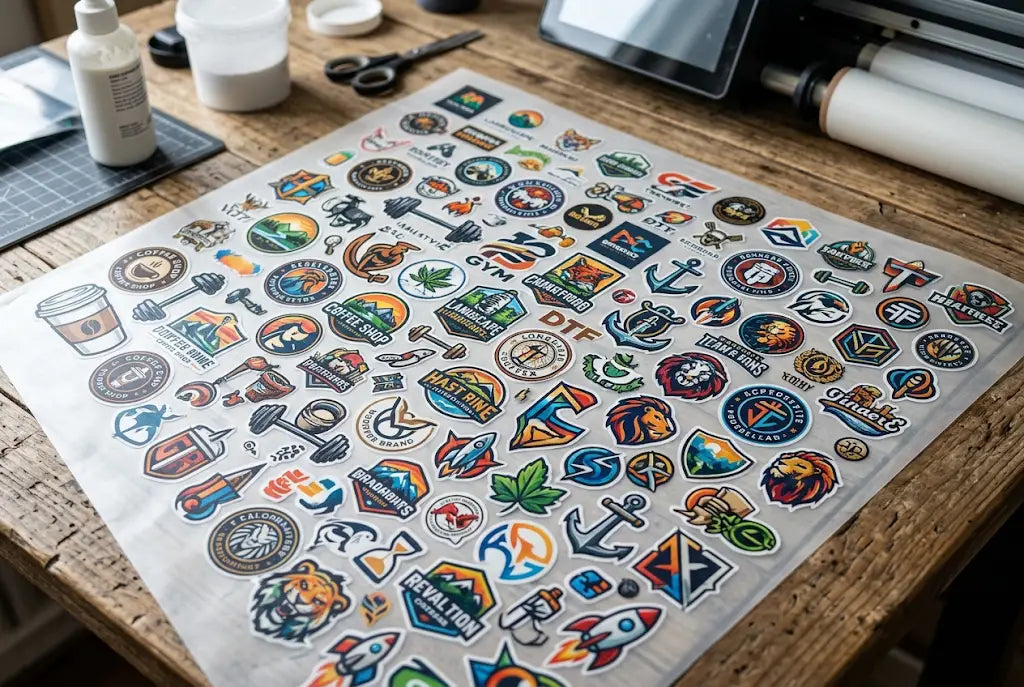
Bulk DTF gang sheets are just big sheets of transfer film where you gang up a bunch of different logos and print them all at once. You cut them apart, press as needed. Simple idea, but layout decides if you make money or burn film.
And most shops leave 15-20% of the sheet empty without even realizing it. That's the difference between paying $0.43 per logo and paying over a dollar.
If you're trying to cram 40+ logos onto a single 22x60, you can't just drag and drop. You've got to think like Tetris, not like a scrapbook. The shops that nail this are printing 50+ logos where beginners fit 30.
Hack 1: Sort by Size First
A lot of people upload logos in the order the customer sent them. That's how you waste half a sheet.
What works better is buckets. Before you place anything, split everything into three piles.
- Small chest and sleeve logos: 3 to 4 inches wide. This is your bread and butter.
- Medium logos: 4 to 5 inches. Usually back logos or big front pieces.
- Micro logos: Under 2 inches. Neck tags, hat fronts, tiny sleeve icons.
Put all the same-size stuff in rows. It gives you clean cut lines and zero weird gaps. Then take those micro logos and plug the holes between bigger ones.
We see this at Music City DTF every day; when you sort first, you jump from 32 logos to 48 on the same sheet. And cutting takes half the time because your scissors run straight.
Tired of doing layout for an hour? Upload your files to Music City DTF and we'll gang your sheet for free. You only pay for the film, we handle the puzzle.
Hack 2: Ditch the Grid and Nest Like Tetris
Grids feel tidy, but they kill density. Not every logo is a square.
So turn some. A circular badge sitting next to a tall skinny text logo can share the same 4 inches of space if you rotate the text 90 degrees. Two circles can interlock tighter than two squares ever will.
- Rotate where it helps. Horizontal text logos often fit better vertical.
- Pair opposite shapes. Round next to angular, tall next to wide.
- Leave 0.25 inches between each design. You need room to cut and you don't want ink transfer.
This one change usually adds about 18% more logos per sheet. It's the difference between a good dtf gang sheet bulk order and a great one. You're not shrinking logos, you're just using the dead space.
Hack 3: DTF Gang Sheets vs Single Transfers — The Real Math
Here's the part that matters if you're selling shirts.
Single transfers run $3 to $6 each. You buy one, you get one. Bulk DTF gang sheets run by the sheet. A 22x60 from Music City DTF is $18.99 and holds 44 logos if you lay it out right.
Do the math. $18.99 divided by 44 is $0.43 per logo. Those same 44 logos as single transfers at $4 a pop would be $176. That's not a small saving.
- Singles are for: One-off samples, or when a customer needs literally one shirt.
- Bulk sheets are for: Teams, brand packs, Etsy shops, anyone doing print on demand dtf transfers with more than 10 shirts a week.
And the bigger win? You print once and you've got inventory. No waiting for the supplier, no rush fees. You just grab and press.
Hack 4: The Best DPI for DTF Gang Sheets Isn't What You Think
More DPI doesn't mean better shirts. That's a myth that costs you time.
The best dpi for dtf gang sheets is 300 DPI at actual size. Period. At 300, your edges are crisp, small text is readable, and the file stays under 250MB. Go to 600 DPI and your RIP slows to a crawl, your file hits 600MB, and the printer can't even reproduce that extra detail anyway.
- Always export PNG at 300 DPI with a transparent background. No white box.
- If your file is over 250MB, re-export it. You've got hidden layers bloating it.
- Bold any text smaller than 0.15 inches. Otherwise it won't peel clean.
We've printed tens of thousands of sheets at Music City DTF. 300 DPI is where quality, speed, and ink cost all line up.
Not sure if your files are 300 DPI? Send them to Music City DTF — we check resolution, transparency, and spacing on every order free before we print.
Hack 5: Leave a Safe Border or You'll Ruin the Whole Sheet
This is the unsexy one that saves sheets.
DTF film curls a little during printing and powdering, especially near the edges. If you put a tiny 1-inch logo right on the edge, it lifts, smears, and trashes the sheet.
- Keep 0.5 inches clear on all four sides. No logos in that zone.
- Never put micro logos in the outer inch. They're first to curl.
- If you hand-cut, add tiny cut marks outside the border. Keeps your line straight.
One ink smear from a roller hitting a logo on the edge can ruin 44 logos at once. That border is cheap insurance.
Hack 6: Price It Like a Pro — Your DTF Gang Sheet Pricing Guide
You can't price a gang sheet like 44 single transfers. You'll scare people off.
Here's how smart shops do it. It's a simple dtf gang sheet pricing guide we use with our own wholesale customers.
- Find film cost per logo. Sheet price / logo count. So $18.99 / 44 = $0.43.
- Add press time. Most shops add $0.30 to $0.50 per logo for labor, heat press time, and parchment.
- Sell bundles. Don't sell 44 individual logos. Sell a 40-pack of left chest logos for $49.99.
So your cost is about $0.75 per press, you sell for $1.50 to $3.00 per press if you're supplying the shirt, and you keep 60%+ margin. And you're faster than anyone buying singles.
Hack 7: Stop Doing Layout Yourself — Use a Real DTF Gang Sheet Supplier
Manually nesting 40+ logos in Photoshop takes 60 to 90 minutes. And you'll still miss spots.
A proper dtf gang sheet supplier does this all day. They've got nesting software plus a human eye to catch overlaps. At Music City DTF we can fit 10-15% more per sheet than most customers do on their own, and it takes us about 10 minutes.
- Look for free ganging. You upload loose files, they build it.
- Demand a proof. You should see exactly where everything sits before it prints.
- Buy in bulk. Sheet price usually drops from $22 to $14-$16 when you buy 10+ at once.
More than saving time, they catch the stuff that ruins transfers — low-res logos, overlapping designs, white backgrounds you forgot to remove.
How to Fit 40+ Logos Without Losing Your Mind
Density isn't luck. It's habit.
Sort by size, rotate and nest like Tetris, respect that half-inch border, and lock your files at 300 DPI. That's it. Do those four things and you'll go from 30 logos per sheet to 48 without shrinking anything to unreadable size.
And long-term, that one skill changes your business. When film goes up, when ink goes up, you're still at $0.43 per logo while the guy doing singles is at $4. That's how you keep margins healthy without raising retail prices.
If you want it done right, let us handle it. Music City DTF builds every bulk DTF gang sheet for max density, checks every file, and ships same-day so you can keep your press running.
Ready to stop wasting film? Build your next bulk DTF gang sheets with Music City DTF Gang Sheet Builder - upload your art now and get a free proof in under 2 hours.
Frequently Asked Questions
How Many Logos Can You Fit on Bulk DTF Gang Sheets?
You can realistically fit 40 to 60 logos on a 22x60 sheet. Three-inch left chest logos average about 48 per sheet. If you mix in a lot of 1.5-inch sleeve or hat logos as gap fillers, you can hit 55 to 60. It's all about size sorting, not shrinking everything.
What Is the Best DPI for DTF Gang Sheets When Printing Small Logos?
300 DPI at actual print size is the standard. It keeps small text readable, colors solid, and file sizes under 250MB. Anything under 300 looks fuzzy after pressing. Anything over 300 just makes your file huge and slows down printing with zero visible benefit on the shirt itself.
Is It Cheaper to Use DTF Gang Sheets vs Single Transfers for 20 Logos?
Yes, by a lot. A 22x30 sheet that holds 20 logos costs around $10 to $12, so $0.50 per logo. Twenty single transfers at $4 each cost $80. Even for small runs, gang sheets win. Plus you get extras for reprints without paying for another order and waiting days.
How Does Music City DTF Help With My DTF Gang Sheet Bulk Order?
When you place a dtf gang sheet bulk order with Music City DTF, we gang it for free. You upload loose PNGs, we sort by size, nest by shape, add proper 0.25-inch spacing, leave a safe border, and send you a proof. Most customers save an hour and get 10-15% more logos per sheet.
Can I Use Bulk DTF Gang Sheets for My Print on Demand DTF Transfers Store?
That's exactly what they're built for. Print a sheet of your top 40 sellers, cut them, and store them in a drawer. When an Etsy or Shopify order comes in, you press in 15 seconds. It turns a 3-day turnaround into same-day shipping and you don't need to stock pre-printed shirts in every size.
What Makes a Good DTF Gang Sheet Supplier Different From a Cheap One?
Three things. Free professional layout, same-day print with real tracking, and consistent peel. Cheap suppliers skip the proof and cure unevenly, so some logos peel clean and others don't. Music City DTF checks DPI and cures every sheet evenly so every logo peels the same.
What Should a Good DTF Gang Sheet Pricing Guide Include?
It should show sheet prices by size, like $12 for 22x30 and $19 for 22x60, bulk discounts for 10+ sheets, and true cost per logo. It should also list turnaround time, shipping, and if layout help costs extra. Always compare cost per logo, not just sheet price, that's where real savings show.
How Do I Cut 40+ Logos From a Gang Sheet Without Ruining Them?
Use sharp scissors or a rotary cutter and leave 0.25 inches of clear film around each logo. Don't cut right on the ink edge, you'll chip the adhesive. Stack cut transfers with parchment between them so they don't stick together. And store them flat, never folded, or the powder cracks and causes cold spots.
What File Type Works Best for Bulk DTF Gang Sheets?
PNG with transparent background at 300 DPI. Don't use JPG, it adds a white box that will press onto the shirt. If your design actually has white in it, keep it PNG and tell your supplier to print white ink behind it, otherwise the white part goes transparent on dark shirts.
How Long Do Transfers From Music City DTF Last Before I Press Them?
Stored flat in a cool, dry spot out of sun, they last 12 to 18 months. Keep them out of humidity and don't fold them. We tell customers at Music City DTF to use them within 6 months for best peel and wash life. Pressed right, they hold up 50+ washes without cracking or fading.