News
Where to Get Custom DTF Transfers in Nashville: Your Local Guide
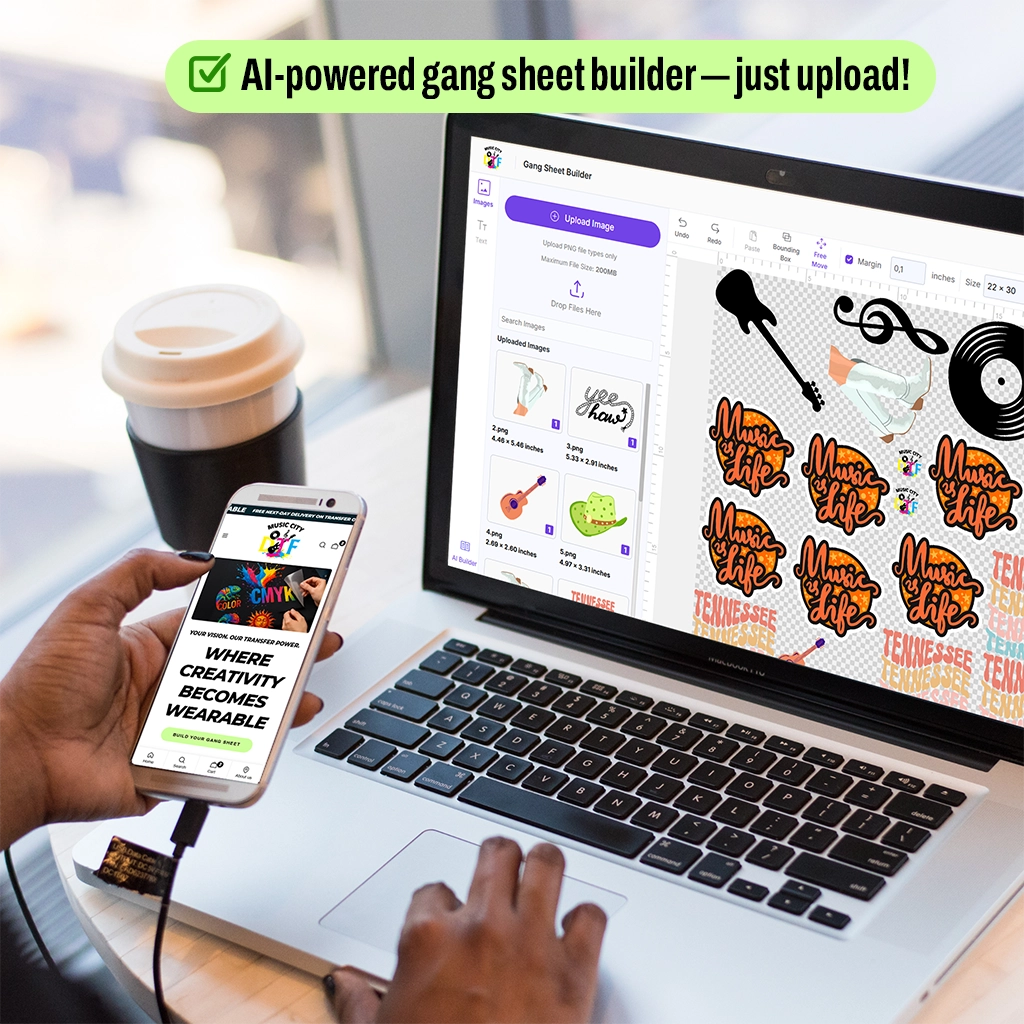
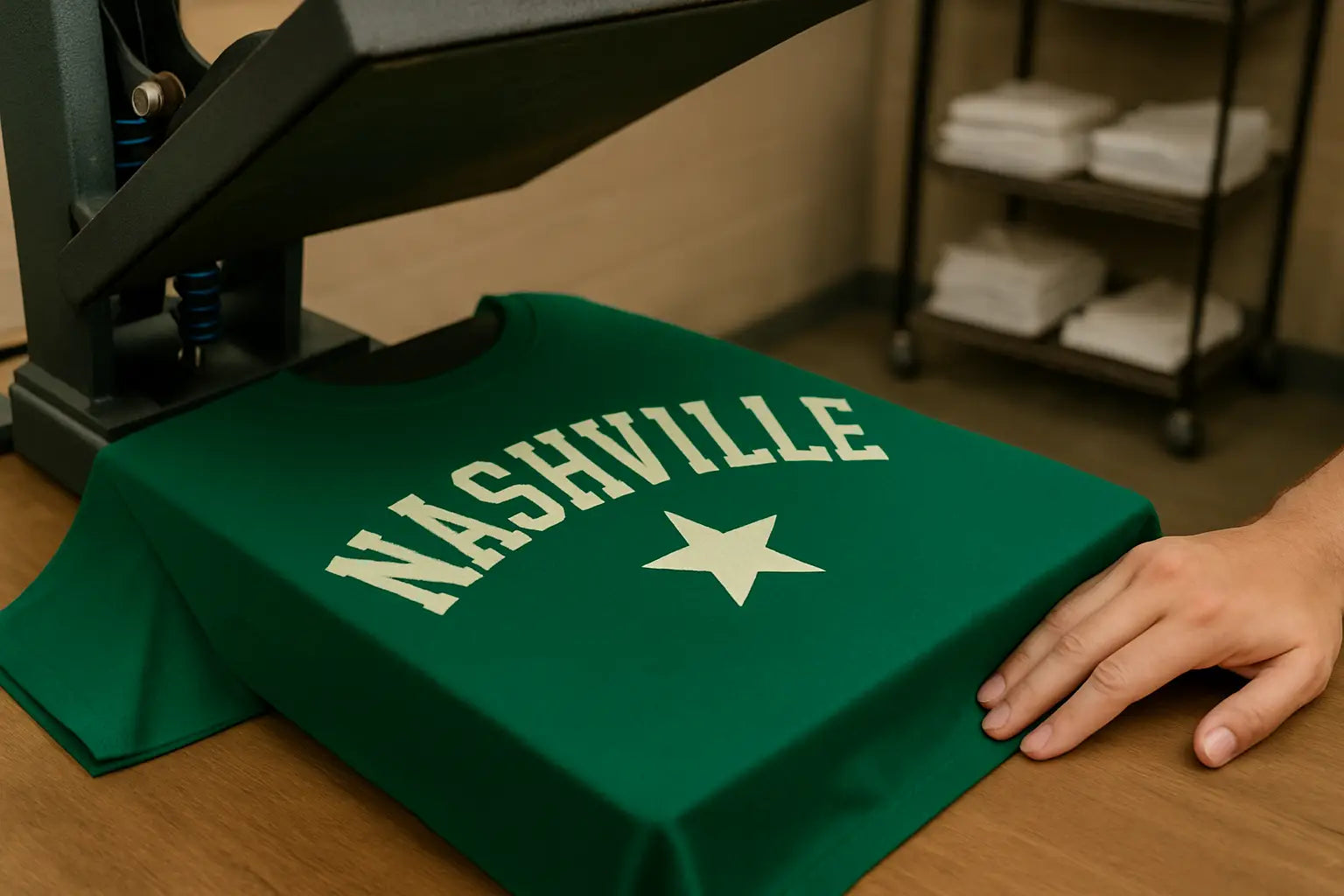
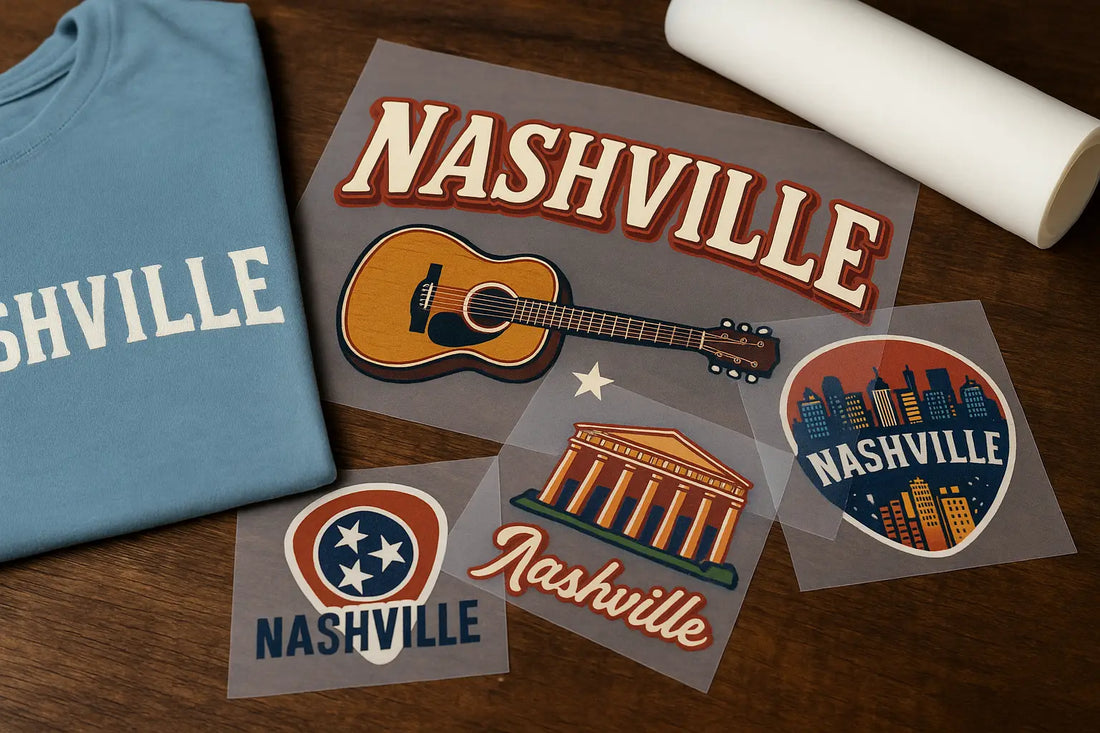
If you want custom DTF transfers in Nashville printed fast and of good quality, DTF printing with a reliable printing shop is a great choice. However, with numerous vendors available online, selecting the right place can be challenging, especially if you're under a deadline or seeking something truly unique. That's where a local DTF print shop comes in super handy. Whether you're printing for a brand, school, event, or company, choosing a local DTF transfer shop in Nashville can offer fast service, personalized assistance, and exceptional results you can count on. Let's explore why going local is important, what to look for in a DTF vendor, and why Music City DTF should be your top choice for both ready-to-go transfers and fully customized orders. Why Go Local for Custom DTF Transfers in Nashville When it comes to custom printing, time and getting it right are key. If you choose a custom DTF print service in Nashville, you avoid shipping delays, receive direct assistance with your design, and get your transfers faster. Here's why going local is a good idea: Speed: Need shirts ASAP? Local places like Music City DTF can usually offer quick service, sometimes even the same day. This fast response makes DTF printing in Nashville ideal for last-minute orders. Support: You receive real, personal assistance with setting up files, gang sheets, and selecting print options, ensuring that your custom DTF transfer looks exactly as you want it. No Shipping Problems: Either pick up your order or have it delivered nearby. No shipping hold-ups or lost deals. Trust: You can actually visit the shop, talk to someone face to face, and be sure your project is being taken care of with the care you’d expect from a provider of direct to film printing. Support Nashville: Your money helps local artists, businesses, and families grow. Supporting custom t-shirt printing Nashville providers keeps your dollars in the community. What to Look for in a Quality DTF Transfer Supplier Looking for a supplier is easy. Simply Google DTF transfers near me to find top-rated local suppliers. However, that’s not enough; to choose the right one from the top 10, you need to know what makes a good supplier. Not all DTF suppliers are equal. Here's what to look for: 1. Quick Turnaround The best shop should get things done fast and offer local delivery. If you need something right away, ask about same-day or next-day service. Look for vendors offering fast turnaround DTF Nashville services. 2. Ready-to-Go Transfers Find a place that offers DTF transfers for shirts in Nashville that are ready to be heat pressed without any extra work. This is ideal for businesses, schools, and creators who want things to be simple and fast. 3. Custom Tools Good shops have tools you can use, like an online gang sheet builder in Nashville. This allows you to fit multiple designs together on one sheet, saving time and money. 4. Design Help The top local printers will help with sizing, setting up, and layout. Need help making your design look better? They can do it. A good custom DTF transfer shop will also review your files to ensure accuracy. 5. Good Film & Ink What they use matters. Ensure they purchase high-quality gang sheets and heat transfer prints that remain effective even after multiple washes. Where to order DTF transfers in Nashville There are several DTF shops around Nashville, but if you need great service, speedy work, and numerous custom options, Music City DTF is the top choice. Why Choose Music City DTF Music City DTF is a Nashville print shop specializing in DTF, from single custom transfers to large gang sheet orders. Here's what makes them special: Custom Transfers Have your own design? Just upload it and pick a sheet size. Whether it’s for just 1 shirt or hundreds, Music City DTF makes it simple. They’re a reliable source for custom DTF print services in Nashville. Upload your design in minutes Pick a sheet size or individual cuts Get help if you need it Ready-to-Press Transfers Need something already designed? Check out their selection of heat transfers, which are perfect for quick merch, events, or gifts. For quick options, try DTF heat transfers Nashville. Pick from trending designs Ready to apply with a heat press Saves you design work Gang Sheet Tool Looking to save time and money on your prints? Their online tool makes it simple to build your own DTF gang sheet, whether you're a beginner or a seasoned pro. The user-friendly interface allows you to upload multiple designs and arrange them efficiently onto a single sheet, no software skills required. Drag and drop images Change the size and rotate them See how it looks and approve it right away Final Thoughts If you're in Nashville and need printing, don't waste time with sellers from out of town who don't know Nashville. Whether you're building a brand or selling merchandise for an event, working with a custom apparel printing shop in Nashville is faster, better, and more reliable. With tools like gang sheet builders, expert assistance, and DTF transfers made to order, Music City DTF is ideal for anyone seeking high-quality service close to home. Ready to Print? Go to Music City DTF to get started on your Custom Gang Sheet now, and order your first DTF transfers, right here in Nashville.
Learn more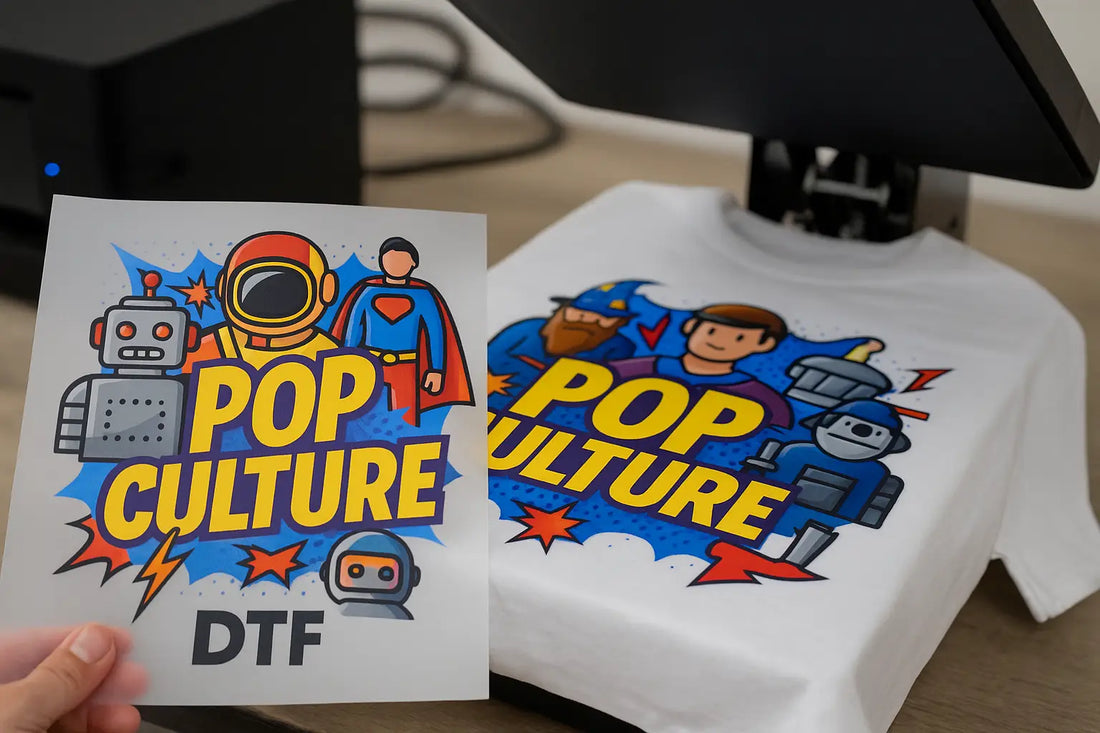
How to Use Pop Culture Designs DTF to Capitalize on Pop Culture Events
Pop culture isn't just fun; it's a significant contributor to the economy. Huge movies, TikTok trends, and sports garner a ton of attention. If you're a brand, artist, or just starting out, this is an opportunity to earn money by selling merchandise related to those events. And right now, DTF (Direct-to-Film) printing is a great way to do it via pop culture designs DTF, and pop culture t-shirt designs. Did someone just win a Grammy? Is the team you support in the NBA playoffs? Or is there a new show everyone's watching on Netflix? DTF lets you jump on that before the hype dies down. In this post, we’ll talk about how to cash in on what’s popular using DTF designs and why Music City DTF should be your go-to source for event-themed apparel. Why Pop Culture Matters It's not just about being a fan. What's trending right now influences what people buy, what they discuss, and what they wear. When everyone's into something, people want to be a part of it, and they often show it by buying related stuff like TV show themed DTF shirts. What’s Happening in the Moment is the Key Things change fast. To make money, you have to be quick to create trending event print ideas! People want to buy things while the trend is still in full swing. A meme that's blowing up? A celeb doing something unexpected? If you can get a T-shirt or hoodie out fast, you can make an exceptional profit. Feelings Matter People aren't just buying a shirt; they're buying a feeling. A quote from their favourite movie? Something about a popular show, or a reference only real fans get? That's what makes people buy. DTF designs let you do that instantly with eye-catching pop culture designs DTF that are tailored specifically for a pop culture niche. How to Create Event Apparel for Pop Culture with DTF DTF (Direct-to-Film) printing involves printing designs directly onto special films, which are then applied to clothes using heat. It's a great way to create pop-culture-inspired designs for the following reasons. DTF is Faster than Other Printing Methods Making a design with DTF takes way less time than screen printing, which can take days. With DTF, you can go from thinking about it to selling it in hours. Pop culture dies quickly, so being able to do things fast is a must if you're into trending event t-shirt designs using DTF. DTF Creates Designs That Last DTF gives you colors that really stand out, images that look real, and everything stays put, even after you wash it. That means a lot when you're printing detailed images from what's popular now, like a photo of a celeb or fan art, or comic con merch designs. How to Design DTF Shirts for Pop Culture Events That Make Money To make money off what’s trending, you need more than just a good printer; you need a plan. Here’s how to stay ahead, especially if you're learning. Know What's Trending Keep up with what's trending right now. Check out places like X, TikTok, YouTube, and Google Trends to see what's on people's minds. Big moments from award shows, sports, or even celebrities doing crazy things can be turned into merchandise, similar to movie premiere t-shirt ideas. Create a list to track potential trends and generate design ideas on a weekly basis. This works especially well for upcoming concerts and planning DTF prints for concerts. Always be Ready You can't know everything that's popular, but you can get ready. Have some designs you can easily change: quotes, meme-style stuff, or old-school designs. Then you can add new content quickly and release a product the same day something goes viral, such as a movie trailer. That’s one of the easiest ways of capitalizing on movie release using DTF apparel. Here are ideas of events that can mean big merch sales: Award Shows (like the Oscars or Grammys) When something crazy happens live, the internet goes wild, and so should you. Someone says something shocking? A red carpet outfit stuns? Make merch that night. DTF allows you to sell shirts or bags immediately, making it an ideal moment for launching new pop culture t-shirt designs. Sports (like the Super Bowl or NBA Playoffs) A clutch shot, an awesome performance, or a funny quote after the game can all be inspiration. Sports fans love to celebrate with gear that captures that moment and becomes part of their personal event-themed apparel collection. TV or Movie Releases From Barbenheimer to Star Wars, big releases get lots of views. You can make shirts or something that speaks to the fans with inside jokes or famous images, and do it fast with TV show-themed DTF shirts and relevant pop culture drops. Why Choose Music City DTF for Pop-Culture Designs When you want to cash in on what’s hot with DTF designs, Music City DTF has you covered. We’ve got great support and top-notch printing, all tailored for pop culture designs DTF that actually sell. Local, Quick, Trustworthy We're in Nashville, so we can print items the same day and rush orders for local customers. We know things change quickly, and we're ready to keep up with great service and on-demand comic con merch designs. Good Quality, Any Amount Whether you're an individual artist making a few shirts or a company selling hundreds, we offer low minimums and competitive prices. We're built for creators who thrive on trending event print ideas and want high-quality, fast delivery. Help from Start to Finish Don't have a design? No sweat. You can create your custom designs or choose from our extensive range of ready-to-press designs. We also ship quickly, so you're not held up by your location. Whether you're new or experienced in DTF designs, we’ve got your back. Final Thoughts Things change quickly, but with DTF printing, you can stay ahead of the curve. Watch what’s happening, move fast, and make good merch that people want, and you'll be set to make real money by selling those things. Now that you know how to create event apparel, you're ready to go. We want to help you catch those waves with DTF printing that is quick, affordable, and well-made. So the next time Beyoncé drops a surprise album or your team makes the playoffs, you’ll have trending event t-shirt designs using DTF ready to go. Want to start making pop culture designs with DTF? Reach out to Music City DTF today and see what we can do to turn trends into cash. Try our DTF Sample Pack to check our quality and processing times and order your bulk order when you are ready!
Learn more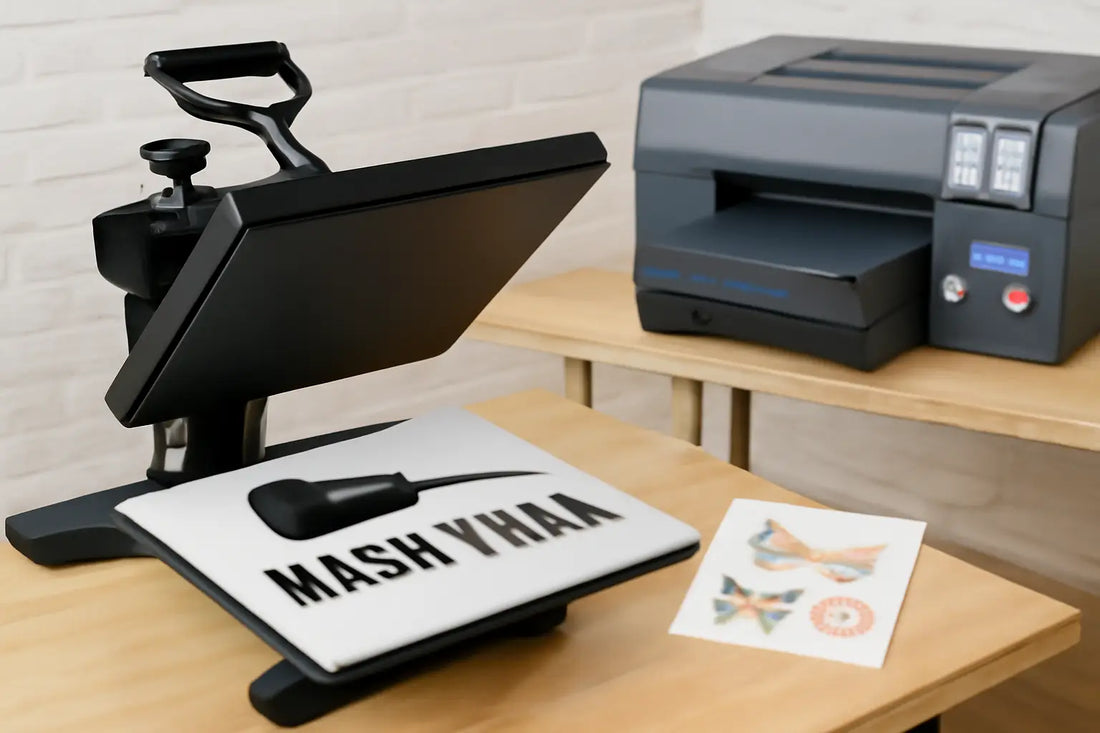
Top 5 Reasons to Choose Local DTF Printing in Nashville
Nashville-based small businesses need partners they can count on, especially for fast and cheap custom merch. If you're discontinuing a product line, hosting an event, or simply trying to increase your brand visibility, high-quality DTF printing is essential. That's where local DTF printing comes in. Instead of waiting for a vendor far away, Nashville businesses can visit local print shops that'll get the job done more quickly, keep you informed, and cater to your specific needs. If you are a small brand, artist, school, or team that wants strong, detailed clothing, opting for local DTF printing is a good choice that saves time, supports the local economy, and yields results you can count on. Here are 5 reasons why going local for DTF printing in Nashville is a time-saving tactic for your brand 1. Need it Now? Local is Faster One of the best things about using a local DTF supplier in Nashville is its speed. Big companies in other states often make you wait for shipping, and items get delayed. However, a local shop can fulfill your order on the same day or the next day. Custom DTF transfers in Nashville are a great option when you’re working under a tight deadline and can’t afford to wait for out-of-town vendors. Here’s Why It Works: Trends, events, and business needs change super fast. If you want to jump on a viral trend, attend a trade show, or need uniforms for an event tomorrow, a Nashville DTF print shop is a faster and easier option to work with than a big company. Also, you don't have to worry about shipping costs or delays. Simply pick up your order or have it delivered by a local courier, saving you time and money with a fast turnaround DTF Nashville solution. 2. Better Prints and Customer Care When you work with a local Nashville supplier, they care about your product. Local DTF spots provide genuine customer service that big chains often struggle to match. They'll talk with you about your designs, give you good advice, and help you make your project the best it can be. Working with a local custom print shop also means you're not just a number; they’re invested in your project’s success from start to finish. Here’s Why It Works: DTF printing makes colors super bright and lasts a long time, even with wild designs. But to get great results, you need the right setup and people who know what they're doing. Local shops want you to be happy. They'll ensure your files are accurate, your colors are perfect, and your clothes are suitable for DTF printing. Need help with your design? Most local shops will be able to fix it for you, so it looks awesome, especially if you're ordering Nashville DTF gang sheets for multiple prints. 3. Support for Nashville's Artists When you pick local DTF printing, you're helping the Nashville community. Nashville is home to a diverse array of artists, musicians, and businesses that continually push the boundaries of creativity. Local suppliers are also part of that. Many of these shops offer made-to-order DTF transfers, making it easier than ever for creatives to test and sell small batches of custom designs. Here’s Why It Works: When you spend money at a local DTF print shop, that money stays in Nashville. It helps families and makes the city a better place. It keeps Nashville's small business vibe going strong. If you're an artist or own a brand, local vendors can help you meet new people and get new jobs. A good local network is one of Nashville's best things, and local printing helps you get involved, especially if you need custom t-shirt printing Nashville services to build your brand. 4. Place Your Order with Real People Ever order something online and it looks totally different when it shows up? That's what happens when you use a random DTF supplier far away. With local DTF printing in Nashville, you can talk to real people, so your order is exactly how you want it. This kind of customer experience is what sets heat transfer printing Nashville apart from impersonal online shops. Here’s Why It Works: Local print shops allow you to visit, review samples, and ask questions. You can view the materials and get answers immediately. No mistakes, better results, and you know your order will be perfect. Additionally, they'll keep you informed about the status of your order without requiring you to wait on hold. If something goes wrong, they'll fix it fast and provide quick Nashville heat press transfers if needed. 5. Easy Custom Stuff DTF printing is all about doing what you want. It's great for small orders or custom designs, and local Nashville suppliers are awesome at doing this without a lot of hassle. They’ll even help you build your own DTF gang sheet, giving you the freedom to mix designs and sizes into one efficient print run. Here’s Why It Works: Big printing companies make you order a ton of stuff. However, Nashville DTF print shops are accommodating of small orders and custom work. Need 10 shirts or 500? They can do it. Since they're nearby, you can easily change your order or get more prints quickly. That means you can control your clothes and avoid stress. Plus, they’ll often deliver high-quality gang sheets that match your exact specifications. Nobody Knows Nashville Like Locals From country music to college sports, everyone knows Nashville is special. Local suppliers, like Music City DTF, get it. They've worked with people just like you and can give you ideas that fit Nashville. Need shirts for CMA Fest, Belmont, or a craft fair? A Nashville print shop knows what to do. You can't get that kind of local flavor from a big company in another state. Final Thoughts There are a ton of reasons to print locally, but for DTF printing in Nashville, it's even better. You get fast service, awesome prints, and help the community with every order from a trusted local DTF printing partner. If you're starting a clothing line, starting a band, running a small business, or want to get on the newest trend, local DTF printing is your partner. Plus, with custom DTF transfers in Nashville, your designs come to life quickly and cost-effectively. Ready to Print Local? If you're in Nashville and want to get started, hit up Music City DTF today. We offer exceptional DTF printing with same-day service and genuine care from real people. Let's make your designs awesome, locally, cheap, and fast. Try our Gang Sheet Builder and DTF Sample Pack today to test the quality!
Learn more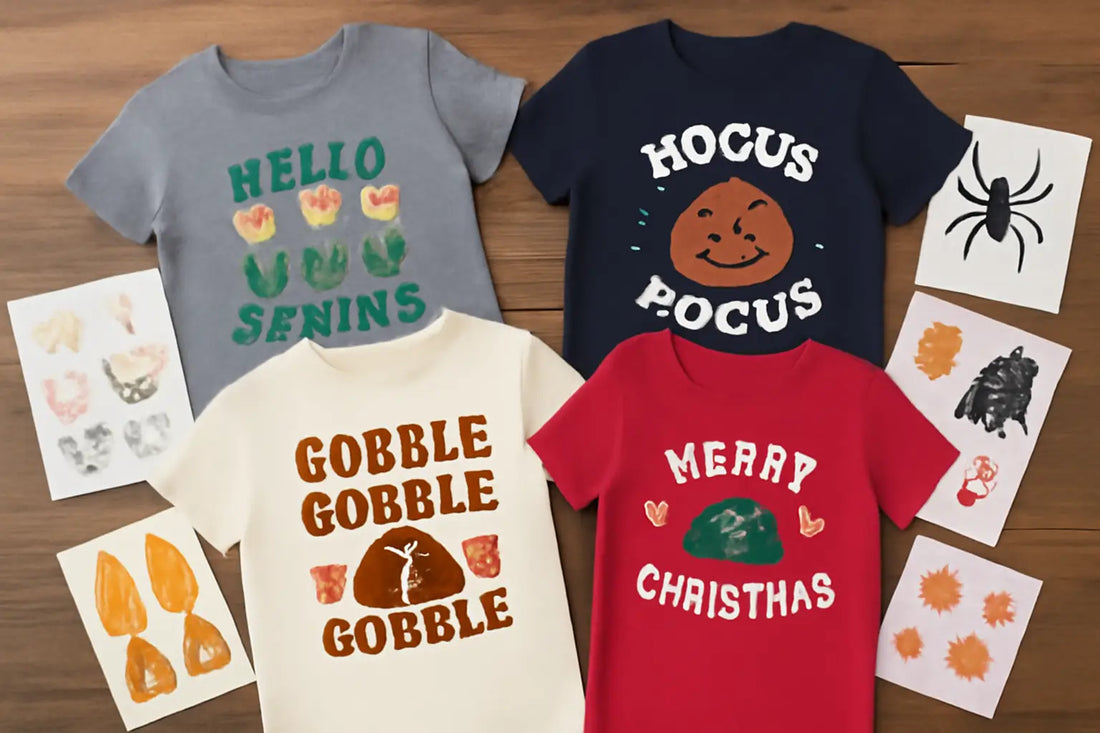
Seasonal DTF Transfer Prep: How to Stay Ready Year-Round with Prints that Sell
In the custom apparel world, staying ready means staying profitable. It’s something that wasn’t possible before, but thanks to DTF, small business owners and designers can now remain profitable throughout the year. (DTF) Printing has revolutionized the way we create apparel, eliminating the need for screens, weeding, and wasted time. But with all that flexibility comes one challenge: seasonal demand. From festive holiday drops to summer graphic tees, apparel trends shift fast. If you’re not ahead of your game, you’re likely going to miss profits. In this post, we’ll talk about seasonal DTF transfer prep and the key considerations necessary to keep you profitable throughout the year. Understand DTF Seasonal Planning First things first, understand what seasonal planning is. Success in apparel printing depends not only on good designs but also on how well you anticipate and match seasonal demand. If you don't adjust to the seasonal ebb and flow of customer behavior, your apparel line may appear antiquated or irrelevant, even with this powerful technology. Each quarter has its own vibe, from spring blooms to cozy fall color scheme designs and winter holiday statements, everything needs to be considered for DTF transfer prep. Learning to prepare your DTF pipeline considering the seasons gives you a competitive edge. It enables you to provide timely, trend-aligned goods that connect with buyers seeking seasonal color palettes for apparel. Create a Yearly Production Schedule The top DTF clothing labels operate with a production schedule that’s always three steps ahead. A yearly calendar offers organization while still allowing for design flexibility. Start by marking all important seasons and commercial holidays: spring collections often debut in March; summer lines by May; fall drops, including trending color ideas, should hit shelves in August or September; and winter releases should be ready for November. Begin designing concepts two to three months in advance for every season. This will give you time to develop artwork, test sample prints, adjust t-shirt styles, and organize inventory needs. Once your annual calendar is set, your team can shift from reactive to proactive production, guaranteeing you never scramble during peak periods. Always Do Seasonal Planning Good planning ensures your designs align with the season. DTF seasonal planning is key to making sure your art connects with your buyers. Spring is about new beginnings, flowers, and feeling good. Summer is about being free, bright colors, and having fun. Fall is about looking back, warm colors, and feeling cozy, so consider using fall leaf colors for DTF or perhaps olive green for tees. Winter is about keeping things simple, staying warm, and adding your own touch. Ensure your style aligns with the mood. Think mustard yellow for DTF or dark red and brown for shirts. If you do seasonal DTF right, people will like what you sell during that time. Use a DTF printing calendar to plan and keep everything organized. Each Season Needs Its Own Colors DTF printing is great because it can print high-quality color, gradients, and small details on any fabric. However, selecting the right colors for each season is crucial. Luckily, DTF printing season trends help you stay current with seasonal color printing. Spring is excellent for light purples, light pinks, light blues, and mint greens. Summer is all about bright colors, such as orange and neon. For fall, opt for warm colors like rust, mustard, olive, and dark red; these colors are essential for a well-rounded fall collection. Winter uses forest green, icy blues, shiny colors, and cool grays. Be ready, check out what colors will be trendy early, and test your DTF prints on different shirts. This ensures the colors are deep, bright, and consistent across the board, which is what buyers want, especially those seeking the best fall colors for their clothes. If you're preparing DTF transfers for holidays, start color testing early and schedule around the holiday. Get Your Stuff Ready Before Time You need to have shirts, DTF films, powder, and ink ready to go. When it is a popular time of year, things can get held up. To avoid stressing out, get your supplies early, well before the busy season. Use a DTF holiday prep checklist to stay ahead. Check what sold best last year and then plan for colors people always want; for example, popular fall colors like olive green, mustard yellow, and dark red for fall shirts always sell out. If you print when people order, keep your printed DTF transfers in a cool, dry place. That’s part of smart DTF transfer stock management. DTF is fast, but getting ready helps you avoid delays or sellouts. Make Your Store Look Good for the Season Your store and brand should evolve with the seasons, and your marketing should align with your DTF prints. When people visit your site or social media, they should feel the season. Your pictures should feature fall colors, capture winter warmth, or evoke summer fun. Fall pictures should show layers, encourage people to get comfortable, and showcase leaves changing. Align your products with the season, such as light shirts for summer or soft fleece for winter. To get more people to see you online, use keywords like “fall colors for clothes” and “cozy fall designs.” Ensure your sales, influencers, and emails align with the season, so customers have a pleasant experience. If you’re unsure where to start, learn how to plan DTF prints for seasonal campaigns to better market timing. Stay Flexible All Year It is essential to plan for each season, but you should also be able to adapt quickly. Year-round DTF printing provides you with the flexibility to stay adaptable. DTF allows you to change quickly, which is beneficial when something goes viral, is trending on TikTok, or when the season changes rapidly. If neon DTF is popular in the summer, you can try it out and sell it quickly without making any changes. Keep up with fashion blogs to stay informed about what's popular and what people are posting to catch small trends early. Maybe you can sell “back-to-school” versions of your best fall items or a holiday version of your best fall print. These small changes can help keep your store looking fresh between major releases. This kind of quick move is easier with smart DTF transfer prep. Final Thoughts In custom clothes, brands that deliver quickly always win. DTF printing is fast and precise, but it only performs at its best when you plan well. For seasonal DTF transfer prep, your designs, marketing, and materials must align with the season so that your customers feel a deeper connection to your collections. Every three months tells a new story – you just have to turn that story into art you can wear. When you know the fall colors for clothes, offer shirts in these colors, and ensure they are of good quality, you are not just selling fashion; you are selling emotions. DTF helps you print smarter, not harder. If you plan for the season, the craziness of fashion becomes steady and generates revenue (no more stress with last-minute sales), resulting in sales that perfectly fit the season. Let the seasons guide you, and people will stick with you all year. Always be ready for your customers with our Gang Sheet Builder, which lets you design multiple artworks in a single go, helping you save money. Print as much as you want and continue to build your audience throughout the year.
Learn more
DTF Fall Color Palette: 3 Fall-Themed Color Palettes for DTF Transfers
Fall is not just a season; it’s an emotion, a mood, and a design possibility that is so much more than cooler temperatures and pumpkin spice. As trees change, so do tastes in wardrobe and clothing. If you're smart about it, with the right DTF fall color palette, you can convey the essence of fall onto your products. As a small clothing company or print-on-demand seller, you have the opportunity to reach a new niche that appreciates investing in unique winter designs that are visually stunning and comfortably practical. Selecting the appropriate t-shirt designs is critical for capturing the warm, sharp autumn vibe that fuels fall sales. Most autumn color palettes for apparel are designed to enliven your DTF t-shirt designs, whether you're focusing on soft fall pastels, bold seasonal declarations, or nature-inspired neutrals. In this post, we’ll look at five awe-inspiring cool colors to inspire your next winter DTF collection. So, let’s jump right in without further ado! 1. Harvest Warmth Theme: Welcoming, nostalgic, and cozy.Mood: Lifestyle tees, Thanksgiving collections, or farmhouse-inspired clothing. Fall reminds one of bonfires, baked goodies, and changing leaves, which are warm recollections. Suitable for mustard yellow DTF transfers that conjure home, family, and heritage, the Harvest Warmth color scheme draws on tradition and comfort. Color Range: Butternut Gold: A golden-orange hue akin to roasted squash and autumn leaves. With great saturation, it’ll print very well on natural cotton. Rust Clay: Dark burnt-orange that brings depth and classic warmth to interiors. Ideal for olive green fall tee ideas and retro-inspired natural typefaces. Maple Red: Inspired by fading leaves, this red offers strength without drowning. For minimalist fall quotes or seasonal drawings, it is quite effective. Warm Oat: Creamy beige with gentle undertones. Any fall t-shirt color ideas will be softened by this neutral, which also matches textured fonts. Coffee Brown: Dark, velvety, and grounding. Coffee brown adds contrast and grounds all the other colors in this palette to give a more structured sensation. Thanks to heat-pressed color layers, these hues retain their richness and texture even on black shirts. Use them to bring your cozy fall color scheme designs to life with premium vivacity and emotional resonance. 2. Moody Forest Theme: Earthy, enigmatic, and contemporary.Mood: Wonderful for outdoor enthusiasts, hiking supplies, spiritual collections, or nature brands. This palette draws on the muted, foggy beauty of autumn woods. With a modern, gender-neutral approach, it leans toward greens, grays, and natural undertones. These colors are ideal for fall foliage color palette for DTF transfers and warm outdoor transitions. The Moody Forest palette is vivid yet grounded. Color Palette: Deep Moss: A dark green base color drawn from forest floors. Works well with burgundy and brown shirt palette themes. Storm Gray: Excellent for backdrops or text overlays, this neutral offers a modern edge. Pine Needle: A mid-tone green with blue undertones. Outdoor designs and lifestyle logos mix perfectly with this. Burnt Cedar: Almost burgundy, this deep reddish-brown adds moodiness and warmth to any nature-inspired print. Smoky Slate: Soft and smoky bluish-gray that enhances the greens and offers depth to autumn t-shirt color combinations. These shades offer contrast on both light and dark shirts, enabling designers to create complex prints for outdoor brands. DTF transfers make it easy to layer forest silhouettes, topography maps, or spiritual elements with precision and subtle gradient blending. 3. Spiced Neutrals Theme: Minimalist, trendy, and versatile.Mood: Ideal for boutiques, unisex apparel lines, or minimalist streetwear If you like a chill vibe for fall but still want to look stylish, go for Spiced Neutrals. These colors resemble cinnamon lattes, cozy blankets, and warm, quiet evenings when the trees have lost luster. These colors are great for DTF pastel t-shirt designs and t-shirt designs that give off a modern, luxurious fall feel without being too flashy. Color Palette: Cinnamon Blush: A muted rose with spicy undertones. Feminine without being overly sweet, it is great for elevated fall fashion. Vanilla Cream: A warm off-white that acts as the perfect canvas or soft accent in best heat‑pressed summer shirt color combinations that carry over into fall. Dusty Taupe: A gray-beige neutral that’s grounding and ideal for unisex styles. Spiced Plum: A rich purple with a brown base, perfect for a moody type or warm earthy tones t-shirt design for autumn. Charcoal Brown: Deep and nearly black, this color works for shadows, outlines, or grounding base prints. These tones are ideal for made-to-order fashion or small-batch boutique runs. The DTF process prints each color with clarity, from the softest blush to the darkest brown, without dulling. These are the best fall color combos for DTF apparel that print clean across a range of fabrics. Why Fall Colors Matter for DTF Printing Color tells a story. In fashion, especially with seasonal prints, your palette is your narrative. The right colors speak comfort, nature, or elegance, depending on how they're used. DTF gives you the flexibility to print detailed lines, gradients, and textured layers that mimic the depth of fall leaves or candlelit interiors. With the right palettes, you can explore summer fruit print color trends DTF that transition into autumn tones or move from trending summer colors to richer shades to create sharp prints. Unlike other methods, DTF lets designers capture subtle moods and detailed emotions, allowing seasonal collections to reflect nuance and creativity. How to Choose the Best Fall Palette for Your Brand Each of these palettes evokes a different emotion and market. Choose what resonates most with your audience: Lifestyle & Family Brands: Go for Harvest Warmth if your designs are focused on tradition, nostalgia, and home-inspired themes. Outdoor or Nature-Focused Brands: Use Moody Forest to lean into natural textures, adventure tones, and eco-aware aesthetics. Boutique, Unisex, or Minimalist Lines: Choose Spiced Neutrals for a soft, wearable sophistication that blends luxury with subtle color play. Still unsure how to choose summer colors for DTF shirts that transition into fall? Start with your mood board. Understand your buyer. Build color into the emotion you want your product to evoke. Final Thoughts Fall isn't just a season; it’s a storytelling moment. At Music City DTF, we choose the best DTF fall color palette featuring visually appealing fall t-shirt color ideas so you can have designs that are more than visuals. Create feelings of cozy nostalgia, forest solitude, or minimalist elegance with our curated color palettes, which are excellent launchpads. Our DTF transfers provide you with the complete toolbox to bring these concepts to life with minimal hassle. Ready to create some fall apparel? Try our premium-grade colors on your collections with our DTF Sample Pack and gauge the quality firsthand. And when you are ready, try our Gang Sheet Builder to build your first collection!
Learn more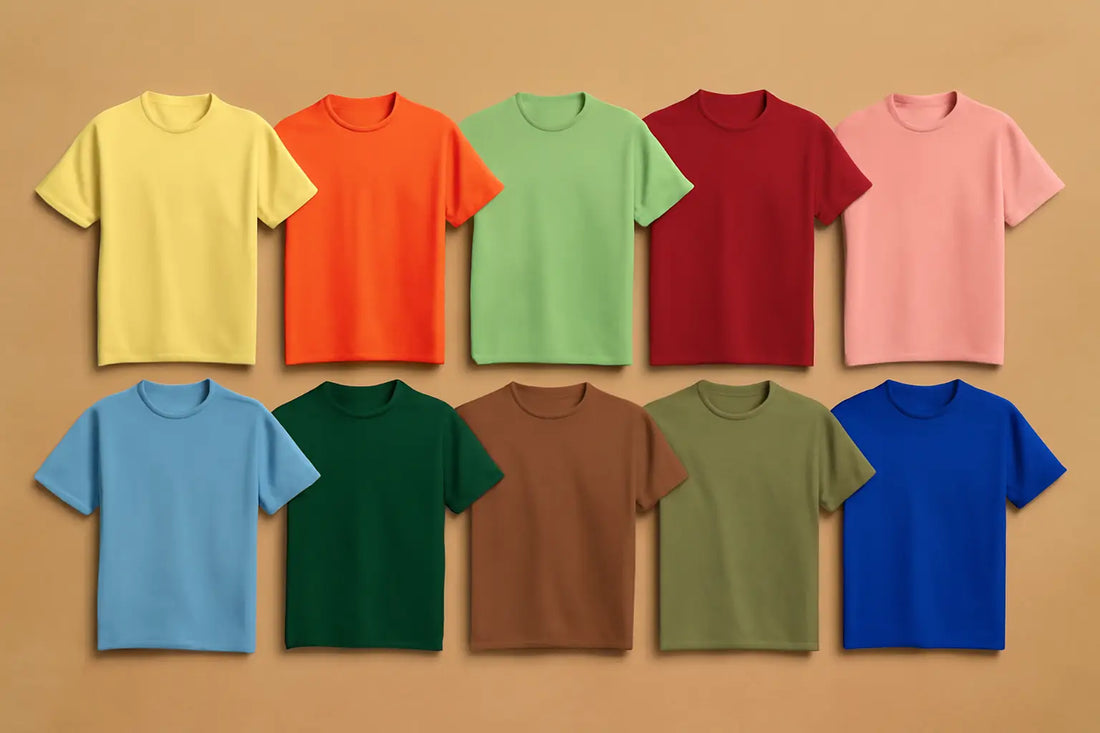
DTF T-shirt Summer Trends: 10 Unique Colors to Elevate Your Style
Summer is all about bold expression, wearable art, and breaking free from the ordinary. With fashion-forward consumers craving color and customization, Direct-to-Film (DTF) printing offers limitless possibilities. However, even the best printing technique requires the right palette to make designs truly stand out. DTF t-shirt summer trends are all about what colors you choose. For seasonal collections or launching a streetwear drop, the right hue speaks volumes and captures attention before onlookers have a chance to take it in. In this post, we reveal 10 unique and bold DTF color palette ideas for hot-weather tees, curated specifically for summer. Each shade is chosen for its emotional pull, visual punch, and perfect compatibility with DTF printing. Let’s dive into the must-have summer colors so that you can have enough inspiration for your next summer collection. Why Pay Attention to Colors for DTF Printing Designers can now print high-definition, full-spectrum color on nearly any fabric, thanks to DTF. This technology allows brands to be more creative, but selecting colors that people care about and are trendy makes your designs interesting and fresh. These ten colors don't just look cool; they also work great with DTF printing. Whether you're designing for a small shop, a unique brand, or a big online store, using the right colors can really grab attention and make people remember you. 1. Butter Yellow Soft, creamy, and nostalgic, Butter Yellow is the best neutral for summer. It gives warmth and sophistication to t-shirt designs with vanilla and sunlike undertones. The color works perfectly for vintage designs, typography, and minimalist prints. DTF printing sharpens its soft tones through crisp, consistent color application. For an elevated palette, combine it with brown, white, or soft sage. It’s a go-to for pastel t-shirt colors summer fashion demands, perfect for unisex drops, upscale fashion, or wellness-inspired lines. 2. Tangerine Pop Tangerine Pop's bold and juicy color gives any t-shirt design a boost. Perfect for making your designs leap from the fabric, it is warmer than neon orange but sharper than coral. It evokes streetwear energy and festival vibes, which makes it perfect for festival gear, including hoodies. DTF printing grabs depth with crisp contrast and silky saturation. For a dynamic appearance, pair it with white outlines or black graphics, as it fits nicely within the category of trending neon DTF t-shirt colors for summer, ideal for athletic apparel, summer events, and brands targeting Gen Z. 3. Mint Condition Mint Condition offers a calm, calming tone evocative of iced drinks and garden greens, fresh and airy. This hue especially complements the soft pastel color DTF transfers summer tees, and its adaptability fits white or cream shirt layers. For visual balance, use it to counteract deeper colors like maroon or navy. With DTF, mint's smooth finish prints cleanly, making it ideal for yoga lines, spa apparel, or botanical designs. 4. Cherry Red Cherry Red adds dramatic emotion to summer fashion with a strong and punchy vibe. Wearable yet eye-catching, it's darker than candy apple but lighter than burgundy. Perfect for bold slogans, graphic logos, or retro '90s ideas, it pops on both light and dark clothing. DTF printing ensures this color maintains richness without oversaturation. Go edgy with black, or match it with white for contrast. As one of the best colors for summer t-shirts, Cherry Red is a staple for music merch, streetwear, and expressive brand statements. 5. Pink Powder Powder Pink is the perfect soft color for summer because it feels romantic and dreamy. This pastel pink adds a nice, girly touch without being too childish. It’s great for everyday clothes, bridesmaid outfits, or old-school t-shirt designs. DTF printing makes it possible to get those soft color changes and tiny details to really pop on this color. Try it with cream, gold foil, or simple line drawings for a classy style. It’s perfect if you’re researching how to choose summer colors for DTF shirts aimed at minimalist or self-care markets. 6. Sky Blue Sky Blue is like a clear, sunny day – super bright and cheerful. It's not quite baby blue, but not too deep either; it's a great blank slate for all kinds of designs, whether they're loud or quiet. It would be perfect for surf brands, travel stuff, or even clothes that anyone can wear. Sky Blue looks good with both dark and light colors. DTF enhances clarity, making it a favorite for both gradient and bold prints. If you're curating the best heat‑pressed summer shirt color combinations, this one's a must; pair it with white, orange, or charcoal for a fresh coastal look. 7. Emerald Depth Rich and opulent, Emerald Depth gives your summer schedule a sophisticated vibe. While still tied to nature, this dark green adds a high-fashion mood. Use it to elevate heritage prints, floral art, or mystic symbols. DTF technology handles its depth beautifully, maintaining clarity and richness. Pair it with metallics, beige, or soft pink for a balanced look. It's one of the bold DTF color palette ideas for hot weather tees that merges streetwear grit with elevated luxury, perfect for capsules or high-end basics. 8. Mocha Mousse Pantone's Color of the Year, Mocha Mousse, is a warm, earthy shade that is ideal as a summer neutral. It’s creamy yet rich, fitting casual elegance or organic aesthetics. DTF printing handles the tone’s depth without dulling it, offering smooth, saturated results. Match it with Butter Yellow, dusty rose, or off-white for retro-inspired vibes. Mocha Mousse looks great with tropical color palette for shirts collections and is excellent for artisan tees, loungewear, and sustainable fashion brands. 9. Dill Green Dill Green is a summer sleeper hit, elegant and unexpected. A soft yellow-green with an earthy twist, it evokes dried herbs and vintage visuals. Great for artsy or eco-themed designs, Dill Green stands out in monochrome or minimalist prints. DTF helps retain its subtle variations across diverse shirt shades. For natural balance, combine it with mustard, navy, or beige. It fits squarely within summer fruit print color trends that DTF users love, making it ideal for handcrafted labels or eco-conscious collections. 10. Cobalt Burst Cobalt Burst is your statement blue, vivid, high-energy, and unmistakably bold. It’s darker than sky blue, lighter than navy, and electric on streetwear or festival tees. Use it with graffiti graphics, bold logos, or expressive fonts. DTF printing excels here, keeping the color’s power intact, even on dark shirts. Pair with neon inks, white, or silver for contrast. Cobalt Burst is a staple in any guide to DTF pastel t-shirt designs and works well in trend-driven, urban collections. Why Choose Music City DTF for Sharp Colors At Music City DTF, we don’t just print; we bring your color ideas to life. Our cutting-edge technology ensures bold or pastel shades print flawlessly on any fabric. From trending neon DTF t-shirt colors for summer to soft pastels, we deliver reliable, stunning results that match your vision. Let’s make your summer collection pop. Final Thoughts DTF t-shirt summer trends go beyond visuals; it's an emotional statement. With the right palette, your summer tees become personal expressions and deeply connect with those who choose them. These ten DTF summer t-shirt color trends are more than fashionable; they’re strategic. If you are launching a new brand or refreshing your line, these tones will elevate your designs. Let DTF transfers and color-forward thinking define your summer success story. Ready to try some cummer colors fo ryour next collection? Check out our DTF Sample Pack and test the color quality before you order bulk!
Learn more
10 Best-Selling DTF Winter Designs for Custom Winter Apparel
Winter style goes beyond merely keeping warm; it's about maintaining your style even when the temperature drops. If you want all-in-one aesthetic appeal, warmth, and comfort, DTF can help you achieve it without breaking the bank. From bold images and empowering slogans to nostalgic retro themes and subtle refinement, the best DTF winter designs mix form and function. This post explores the top ten winter clothing designs that are now driving market trends and sales appeal. These looks appeal to different tastes by combining comfort, culture, and creativity into every wearable piece. As DTF custom winter apparel grows in popularity, these trends become even more versatile, accessible, and expressive. 1. Bold Typography Declarations Bold, all-caps lettering dominates winter fashion. Best-selling hoodies and sweatshirts featuring simple phrases like "STAY COZY," "FEARLESS," or "MAMA BEAR" imprinted across the chest always sell. These layouts establish a rapid connection via attitude and transparency. From a distance, they are easy to read; often, they resonate with personal values or seasonal moods. Whether for empowerment, comedy, or warmth, the clear, strong fonts on thick textiles strike the ideal balance between comfort and fashion, making them a go-to winter essential. Top-selling winter DTF transfers often lean on these sharp, impactful typography choices. 2. Minimalist Line Art Minimalist line drawings are super trendy in DTF right now. These drawings can be anything, including animals and nature stuff. Usually, they're white or neutral on solid color clothes. It's a cool way to look put-together without being too loud. These designs look great on pullovers, sweatshirts, or anything knitted and fit easily into a small wardrobe. They're simple and creative, and work well with custom winter hoodies DTF, personalized snowflake DTF shirts, and much more. If you are looking for something warm and not too overwhelming, a minimalistic design is the way to go. 3. Nature Themes Nature-themed designs are always a hit, especially on sites like Etsy and Amazon. Think snowy peaks, forests, deer, and cozy cabins. Slogans like “Wander More” or “Into the Wild” are common. If you love nature, then these designs will remind you of travel, the outdoors, and the lakes and forests. The rustic appeal of these prints is enhanced by earthy colors such as moss green, charcoal, and burnt orange. DTF winter graphic tee designs that feature wilderness themes are perfect for you if you're an outdoor enthusiast or a cozy stay-at-home type during the colder months. 4. Old and Vintage Graphic Design Nostalgia never goes out of style. Big winter successes are vintage graphics ranging from ‘70s ski resort logos to ‘90s grunge band–inspired prints. These vintage patterns allow one to embrace nostalgia while providing comfort in the present. Frequently faded or distressed for effect, they appear as though they have been lived in and loved, appealing to a wide range of age groups. Oversized crewnecks, sloppy sweatshirts, and corded pullovers are popular formats. Custom DTF winter hoodies often serve as the canvas for these retro designs, blending comfort with a time-traveling style. 5. Cute Animal Drawings Drawings that feature penguins in scarves, sleepy polar bears, and animated reindeer immediately draw attention. In novelty holiday clothing, family sets, and children's wear, these patterns are particularly in demand. These are great for presents or parties, and they just feel warm, cute, and Christmassy. The best designs usually look a little hand-drawn, which makes the animals super cute but still cool. Custom family Christmas tees with DTF often show these characters, making your holiday moments more fun and ready for photos! 6. Positive Affirmation and Wellness Quotes You can add phrases like "Breathe," "Healing in Progress," or "Still Growing" via DTF to your winter apparel and immediately turn your wardrobe into a positive vibe. Usually paired with soothing fonts and pastel winter colors, lavender, sage, or blush, these little messages have the power to help you heal. Often enhanced with delicate graphics such as leaves, suns, or moons, designs are minimalist and centered. Cozy DTF t-shirt designs featuring gentle affirmations are popular for self-care, wellness, and winter gifting. 7. Celestial and Spiritual Motifs Stars, moons, constellations, and spiritual symbols have carved out a space in winter fashion. If you are a fan of boho style and astrologers, these patterns combine wonder, beauty, and a hint of magic. Dark blue, black, or deep purple clothes make the gold or silver star patterns pop, which is kinda cool for chilly nights. These festive DTF apparel ideas typically feature words like "Guided" or "Aligned" and hint at people growing and changing. If you want some fun direct-to-film clothing ideas, try stars and moons for a magical winter vibe. 8. Holiday-Inspired Design Though seasonal, holiday-themed clothing always sells very well. Best-sellers are reinventing "ugly sweater" designs with contemporary angles, such as pixelated snowflakes, simple Christmas trees, or cheeky holiday messages. For celebrations, images, and themed events, these celebratory patterns, sometimes in red, green, and crea,m are perfect. Matching family sets and pet-friendly variants also enhance their attractiveness. Christmas sweatshirt designs DTF are annual best-sellers, offering both nostalgia and modern fun in every stitch for November and December wardrobes. 9. College and Varsity Trends Winter street fashion has revitalized traditional university logos, varsity patches, and fonts. Fashion enthusiasts of all ages connect with creations such as "Winter U," "Cozy Club," or faux college emblems on hoodies and sweatshirts. While embracing the oversized comfort trend that is so popular during colder months, these prints capture a preppy nostalgia. Usually constructed of heavyweight fabrics with ribbed cuffs and hems, these clothes combine elegance with coziness. Custom winter hoodies DTF make it easy to create varsity-style gear that feels as classic as it is comfortable. 10. Plaids and Patchwork Highlights Although plaid and patchwork motifs are not new, their rebirth through innovative overlays and print combinations keeps them at the highest selling level. The effect is rustic and warm, whether it's printed flannel patterns on hoodies or mixed-pattern designs on thermal shirts. For greater depth, these patterns often incorporate quotes or logo images. Appealing to customers who love tradition with a contemporary twist, they mix country charm with modern panache. Winter holiday gift shirt ideas DTF often features these prints, combining nostalgia with gift-ready flair. Final Thoughts Winter clothes shouldn’t have to be dull greys and magentas. From nature-based designs to comforting themes, the best-selling designs mirror sentiments, ideas, and recollections rather than just trends. Knowing what resonates with each season helps create relevant, wearable experiences, whether you are a creator, brand, or consumer. As more brands learn how to design winter-themed shirts with DTF, the possibilities for combining personality and seasonal comfort will only expand, leading to increased demand for DTF winter designs. Get ready for the winter season now with our Gang Sheet Builder, maximize your creativity, and produce more designs in less time without spending much!
Learn more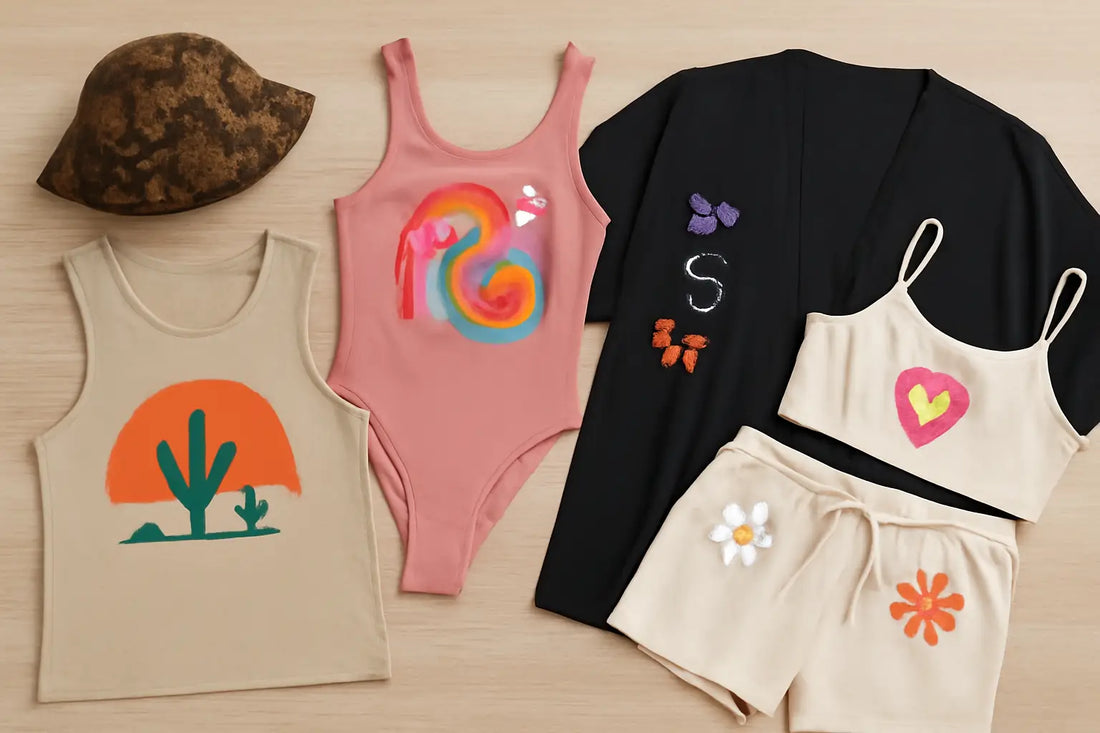
Coachella Outfit DTF Fashion: How to Create Festival Apparel for Coachella Season
Coachella is not just a music festival but a worldwide fashion event. Thousands of people travel to the California desert every spring not just to listen to live music but also to showcase trendsetting, head-turning clothing. Combining bohemian flair with modern trends and nostalgic callbacks, the Coachella outfit DTF fashion has become a distinct style genre in itself. Today, you need to have several outfits for each day of the event to make the most of it. Sometimes, you may even need to create outfits that represent your favorite singer or band! To inspire your festival outfits, in this post, we'll walk you through Coachella festival DTF apparel ideas that are bold, imaginative, and highly personal so you can live your festival life to the fullest. The Coachella Outfit DTF Fashion for Youth and Adults Regardless of your age group, festive DTF apparel ideas have something for everyone who wants to enjoy the music. With DTF printing, you can create high-resolution graphics onto a unique film and then apply heat to transfer the design onto your favorite piece of clothing. Unlike sublimation or screen printing, DTF performs well on almost every type of cloth, including cotton, spandex, polyester, and blends. And therefore? It lets you create brilliant, elaborate, and wearable designs perfect for festival clothing. Ready to explore graphic tee ideas for Coachella? Read on. 1. Stand Out with Desert Tank Tops A must-have festival item, tank tops make an excellent canvas for custom festival tee designs and graphics. Custom tank tops let you showcase your unique flair while staying cool under the sun, whether that's a desert scene, a psychedelic design, or a line from your favorite musician's song. Dynamic visual interest can be created by deliberately positioning DTF transfers across the chest, encircling the side, or vertically down the back. From your first to your last, your designs stay vivid throughout the festival as the prints attach neatly to both light and dark clothes. 2. Eye-Catching One-Pieces and Bodysuits Festivals are seeing an increasing prominence for bodysuits and one-pieces. With the flair of designer clothing, they provide the elegant fit of performance wear. How to make Coachella shirts with DTF printing for bodysuits in less time and money? It’s simple. With DTF printing, you can create bodysuits with vivid visual features such as gradients, cosmic backgrounds, animal prints, or retro rainbow swirls. DTF's allure lies in its ability to work beautifully on stretch textiles; hence, your design will not split or fade even after many hours of dancing. For a runway-ready appearance, you may also layer symbols, words, or artwork onto various parts of the bodysuit using several designs. 3. Statement Looks with Mix-and-Match Graphics DTF printing for festivals allows you to work with smaller visuals, which is among its most attractive features. You may print butterflies, flowers, moons, or abstract symbols and arrange them in imaginative patterns over your clothes rather than having to cover a whole garment. These embellishments transform basic clothes into wearable art: a denim jacket with heavenly designs down the shoulders, a pair of shorts with lips or peace signs near the pockets, or a halter top with strewn stars and smiley faces. 4. Matching Sets to Influence Events At concerts, matching sets are really hot right now. Coordinated bralette and skirt sets, crop tops paired with flared pants, or mesh overlays with complementing shorts allow for daring fashion statements and uniform styling. One can create a visual theme with DTF printing that extends across every piece; for example, a desert scene that starts at the top and extends to the bottom. Alternatively, you can create recurring objects like palm trees, lightning bolts, or mirror mandalas to run head to toe. 5. Add Custom DTF Prints to Your Style Accessories enhance more than only clothing; complete your look with custom bandanas or caps using DTF for festivals. Print your designs on tote bags, arm sleeves, hats, or even socks. Your ensemble will be enhanced by a bucket hat featuring a snakeskin print, a fanny pack adorned with vintage icons, or a tote bag printed with festival map graphics. Due to its adaptability, DTF can print even the smallest, soft products with excellent sharpness. 6. Exclusive Drops and On-the-Go Printing DTF provides you with a strong tool to produce unique fashion drops if you are a brand, a boutique owner, or a supplier going to the Coachella season. It allows for small runs and quick changes, unlike screen printing, which requires large runs and extensive setup. For festivalgoers, you might consider offering "limited-edition" drops or on-the-spot personalization. Consumers pick their designs, set up a booth, pre-release a set of transfers, and publish live. 7. Astrology, Symbols, and Spiritual Vibrations Many Coachella attendees draw inspiration for their clothing from mysticism, astrology, and spirituality. Consider moon phases, tarot card visuals, crystal drawings, and zodiac glyphs. The intricacy and detail of the artwork make these themes perfect for DTF. With shimmery embellishments, you can create a graphic that shows the phases of the moon or a symbolic work that merges chakras and sacred geometry. This is a great example of bohemian DTF designs for music events. 8. Y2K and Vintage Nostalgia with a Twist Among Gen Z festival attendees, in particular, the love for music festival clothing ideas like Y2K fashion remains popular and thriving at Coachella. With DTF, you can simply incorporate nostalgic elements like butterflies, checkerboards, chrome text, pixel hearts, and smiley faces. Baby tees, halters, miniskirts, or huge hoodies all look rather beautiful in these prints. 9. Sustainable Festival Fashion Using DTF Sustainability is becoming crucial in the fashion industry, and DTF printing fits quite naturally with ecologically aware techniques. Unlike conventional screen printing, there is no need for water-heavy processes or chemical waste. As your starting point, you can print on demand, cut out overproduction, and utilize recycled or second-hand clothing. Express Yourself with Custom Prints Ultimately, Coachella's style is about showcasing yourself. DTF printing allows you freedom from manufacturing scale and accessibility. A personal vision can become something tangible, wearable, and unforgettable. DTF lets you explore and try out, whether it be your favorite lyric, a piece of your artwork, or a crazy design concept that struck you at 2 A.M. Whatever idea you choose, make sure to check heat press settings for festival-ready DTF apparel before the application to avoid errors. Final Thoughts Coachella outfit DTF fashion lets you escape mass-market trends and create something totally your own, whether you're going for a desert goddess, vintage raver, Y2K glam, or spiritual boho look. It's very flexible, environmentally friendly, and cheap, exactly what you need to transform your fashion vision into a festival-ready reality. As the Coachella countdown starts, make sure to be ready for the event with your custom prints. Try Music City DTF printing to express yourself, not merely dress for the weekend. Ready to design your own Coachella looks? Try our Gang Sheet Builder and create custom DTF gang sheets today!
Learn more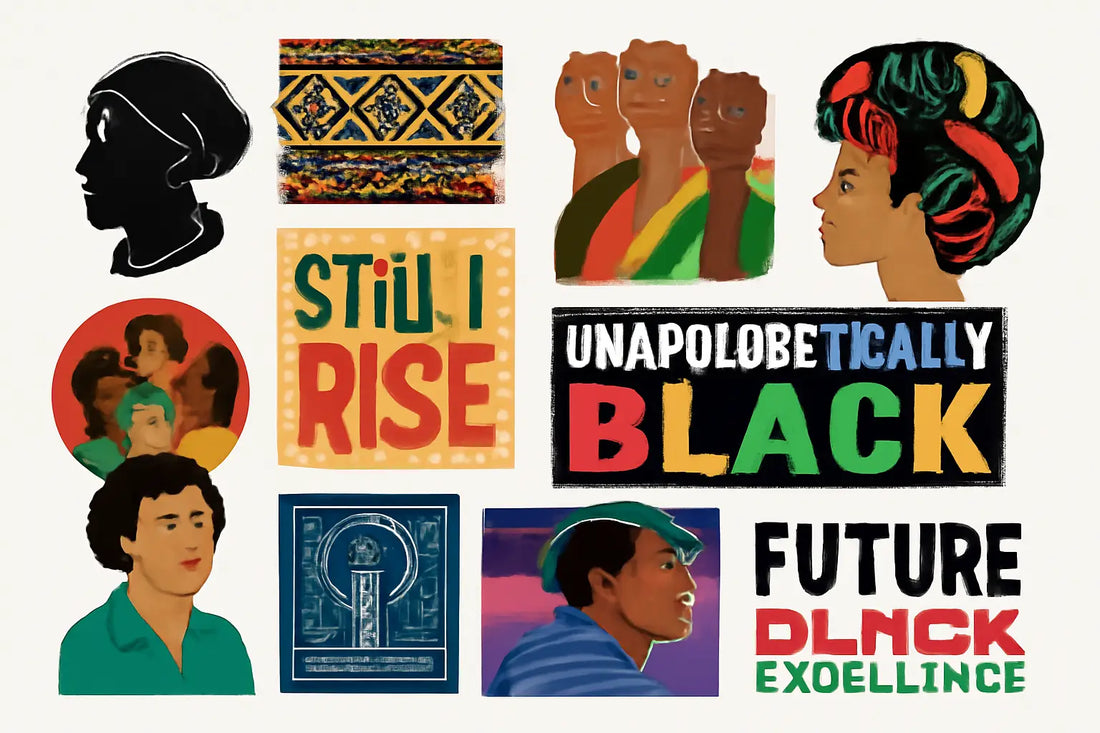
DTF Transfers for Black History Month: 10 Meaningful Apparel Design Ideas
When it comes to celebrating freedom, there are a few things that let us unleash our creativity to the max and give us the power to express our deepest emotions. Fashion has always been one of those very few venues for emotional expression. Here at Music City DTF, we utilize fashion and apparel as a means to stand in solidarity with those who celebrate and cherish hard-fought freedom. Our DTF transfers for Black History Month support resilience, heritage, and the courage of those who fought for change. In this post, we want to help you create a unique Black History Month collection so you can proudly stand for the change and wear your support loud and proud. Why Choose DTF Transfers for Black History Month Apparel Before we get into the design ideas, let’s take a moment to talk about why DTF is the right option for your apparel collection. DTF prints high-resolution, full-color designs that are then heat-pressed onto a range of textiles. It provides a lot of alternatives for both new and seasoned designers since it enables brilliant prints on cotton, polyester, and even mixed fabrics. DTF is a cheap, quick, and very flexible option, whether you are printing one t-shirt or a whole run for a local Black History Month celebration. And henceforth, it is a cost-effective option to create Black History Month apparel. Now, let’s get into the 10 design ideas to inspire your Black History Month collection. 1. Inspirational Quotes Apparel during Black History Month becomes a narrative vehicle rather than merely style. Use deeply resonant phrases from strong leaders, such as Martin Luther King Jr., Maya Angelou, Malcolm X, or James Baldwin, as Quotes to create Black trailblazer DTF designs for shirts. Use quotes like "Still I Rise," "Power to the People," or "Injustice Anywhere is a Threat to Justice Everywhere.” 2. Legendary Silhouettes Great for showcasing African American heritage t-shirt designs, creating silhouette art of famous people is yet another significant concept. The designs could be nothing more than a simple, stylized silhouette of well-known individuals like Harriet Tubman, Frederick Douglass, Rosa Parks, or Barack Obama; they do not have to be complex portraits. Perfect for dramatic pieces like silhouettes to be both creative and considerate, DTF guarantees that even the smallest details of delicate shading and the best outlines are flawlessly presented. 3. African-Inspired Designs and Textures A great deal of Black History Month is cultural pride; a common approach is to highlight traditional African patterns, hues, or textures with cultural heritage DTF designs. Clothing featuring Kente fabric patterns, Adinkra symbols, or earth-toned tribal motifs honors the African legacy while remaining contemporary. With DTF, you can include high-resolution fabric textures or layered digital patterns into your design. This will help you bring vibrancy and legacy to every piece through borders, backgrounds, or accents surrounding messages and symbols. 4. Artworks Reflecting Unity and Community Black history culture celebration DTF prints with unity-oriented artwork offer a strong design guide. Central to Black History Month are ideas of Black excellence, family, strength, and community; hence, visuals that show togetherness, such as interlocked hands, community paintings, or abstract representations of generational strength, are ideal. 5. Abstract Representations of Black Joy Too often, Black stories center on struggle, yet joy, invention, and celebration are also essential components of the tale. Consider African American DTF apparel featuring intense colors, emotive brushstrokes, and layered forms that represent music, dance, and art. These designs are essential for younger audiences who want to express pride in a modern way. 6. Statements of Empowerment in Typography Designs based on typography are perfect for Black Pride t-shirt printing. Strong phrases like "Empowered," "Resilient," "Rooted," or "Unapologetically Black" in striking typefaces can have a significant influence. DTF lets you experiment with unusual typographic styles (distressed fonts, layered colors, or even gold and metallic effects) to help those words stand out. Worn alone or layered with graphic art for more depth, these statement shirts can be worn even after Black History Month. 7. Honors to Educators and Activists Another important design approach is the teacher and activist tributes with DTF designs honoring Black scientists. Highlighting less famous yet equally significant Black individuals, such as Bayard Rustin, Ella Baker, Fannie Lou Hamer, or Katherine Johnson, can transform a t-shirt into a powerful lesson. In one tidy design, DTF transfers help to integrate names, dates, and symbolic images. For instance, a shirt could feature a stylized representation of Katherine Johnson, accompanied by mathematical symbols and a quote about perseverance. 8. Graphics Inspired by Flags Black History Month DTF transfers with flag-based patterns are another popular design. With its red, black, and green color scheme, the Pan-African flag stands for liberation and unity throughout the African diaspora. Adding these hues to clothing, either as striking stripes or understated touches, carries political and cultural significance. DTF printing allows these hues to remain rich and authentic even on darker textiles. 9. Celebrating Black Inventors and Innovators Black entrepreneurs and inventors should also be honored, and you can do that with DTF prints celebrating civil rights leaders. Imagine a blueprint-inspired graphic honoring Garrett Morgan's traffic light invention or a design inspired by George Washington Carver with botanical elements. These creative yet educational tributes combine narrative with inventiveness. Technical sketches, historical images, and layered textures made possible by DTF raise the design above a mere graphic. 10. Future Black Excellence Dreams Last but not least, highlighting the future is among the most effective design orientations. Black History Month is also about moving forward, not just looking back. Black history apparel DTF printing for the future, featuring imagined sci-fi components, dreamy graphics, or young Black leaders, can motivate the next generation. These kinds of designs honor inventiveness, creativity, and unlimited possibility. Black History Month DTF Transfers with Music City DTF At Music City DTF, we are committed to helping you create designs that are more than just graphics or illustrations; we believe each artwork for Black History Month carries emotional significance. Our DTF collection features cultural heritage DTF designs that can help you build a meaningful collection that resonates with those who take freedom and pride seriously. Final Thoughts Black History Month presents an opportunity to both acknowledge the past and shape the future with African American DTF apparel. DTF transfers provide an original and empowering approach to designing custom clothing with significant meaning. From quotes and silhouettes to abstract art and utopian ideas, the opportunities are as numerous and varied as Black history itself. With the right tools and the right message, you can create DTF Transfers for Black History Month that not only make a fashion statement but also a cultural one. Whether you're giving it, selling it, or wearing Black History Month clothes made with it, it's more than clothing; it's a celebration in every fiber. Ready to build your Black pride apparel? Try our Gang Sheet Builder or upload your Custom Gang Sheet.
Learn more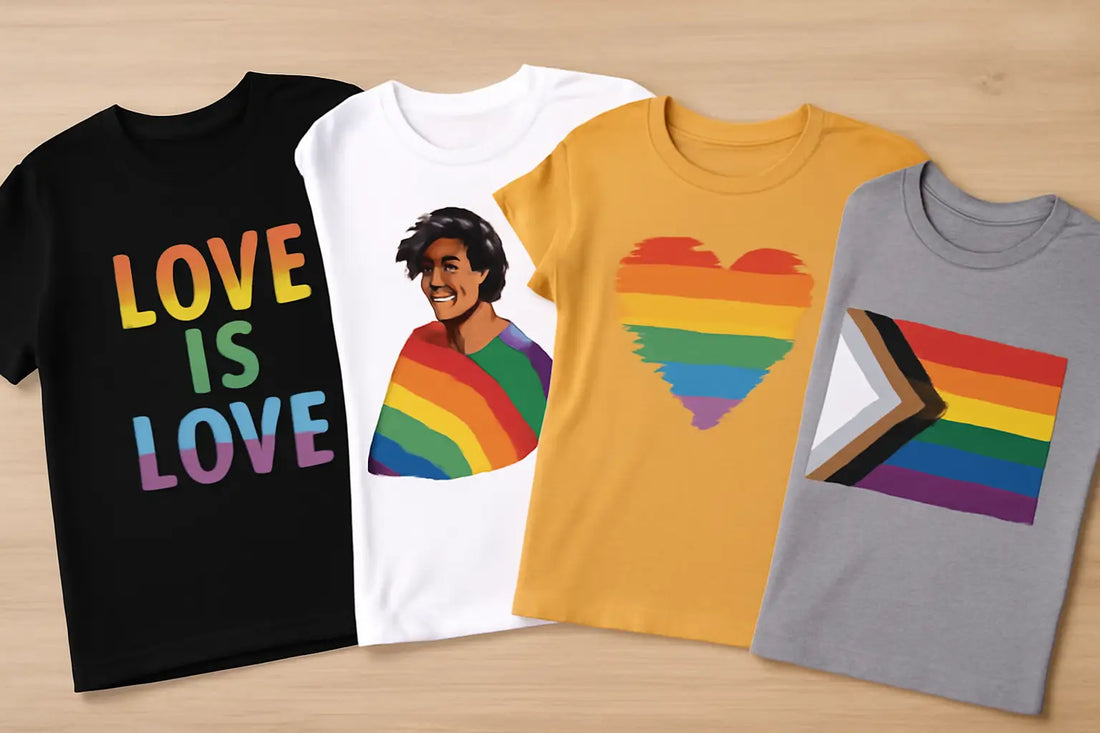
Pride Month Custom Apparel: Creative Ways to Use DTF Printing for Pride Month Apparel
Pride Month is a time when the LGBTQIA+ community celebrates, recalls, and becomes visible. This is the only time of the year when queer community can gather and celebrate their identities, their narratives, and achievements. From more subdued symbols of identity to booming rainbow statements, clothes are a visual language of protest and pride. It has become central to and enables the use of custom pride t-shirts like never before. Here at Music City DTF, we believe that the LGBTQIA+ community deserves a chance to celebrate freedom every day, not just during Pride Month, and to make that happen, we rely on Pride Month DTF printing designs that can last for years. Why Create Pride Month Custom Apparel with DTF printing DTF can handle complex, multicolored images with rich gradients and exquisite detail, unlike conventional screen printing or vinyl. It is less complicated, inexpensive for little batches, and works wonderfully on cotton, polyester, blends, even dark-colored clothes, which makes it easy to create best DTF designs for pride shirts. DTF's adaptability and brightness make it perfect for capturing the rainbow colors, flag patterns, and creative flair sometimes seen in queer-inspired fashion for Pride Month apparel. This approach enables DTF printing for pride events, allowing DIY designers, artists, and businesspeople to create clothing that genuinely honors inclusiveness and diversity. Let's look at some of the designs you can create for your Pride collection and be a part of the change. Rainbow Typography Tees Typography Tees are perfect for rainbow shirt designs for pride. Use vivid colors with words such as "Love is Love," "Proud Ally," or "They/Them" to convey strong social statements. For these designs, it is essential to use rainbow gradients inside the text, add metallic overlays, or layer brushstroke patterns to give each shirt emotional weight. These patterns serve as wearable declarations of pride and support while also being visually appealing. Works of Art Inspired by The Pride Flag Incorporating several identity flags with ready-to-press pride designs representing the LGBTQIA+ community is yet another strong design direction. Flags carry a lot of emotional significance, and the rainbow flag is perhaps the most well-known. You can use Pride flags as DTF pride shirt designs with color schemes to create clothes that represent different identities, ensuring everyone feels included. Individual Portraits and Character Art Another fantastic opportunity for artistic expression comes from custom portraits and stylized character drawings. Consider personalized pride apparel featuring a superhero in brilliant armor or a group of diverse friends adorned with pride flags. These types of designs help wearers see themselves in their clothes and celebrate diversity while humanizing and honoring it. Add Personal Narratives One meaningful way to create vibrant rainbow DTF transfers is by including personal stories. Clothes that have meaning are more than just something to wear. If people want to tell a personal story, like coming out or a time they really felt like themselves, DTF designs can help. You can put quotes, images, or even timelines onto the clothing to tell that story. In addition to honoring personal truth, DTF pride shirt designs also help those who wear and see them to develop awareness and empathy. Interactive and Customizable Shirts DTF printing is highly adaptable, making it perfect for creating interactive or partially customizable apparel. For Pride Month, this might include Pride DTF heat press designs with spaces designed for users to add their own pronouns to the garments, which come with optional patches for different identities. Custom pride t-shirts invite wearer participation and give people a chance to make their apparel truly their own. Retro Pride Ideas You can get ideas from past decades to create retro pride parade outfit ideas. The LGBTQIA+ rights movement has a rich history. These old-school styles show how far we’ve come, as today's open acceptance is related to past fights and wins. Check out those wild '70s fonts, the bright '80s graphics, and '90s grunge looks. Catchphrases like “We're here, we're queer” or shirts about the Stonewall Riots aren't just fashion; they also teach people something. Matching Sets and Coordinated Looks In families, friend circles, or community groups, pride is sometimes honored; hence, coordinated looks are considered the best DTF designs for pride shirts. From coordinating t-shirts and hoodies to joggers, hats, and bags, DTF printing enables the design of entire themed sets. These collections can feature uniform colors, emblems, or messages that promote group identity and provide a consistent appearance for Pride marches and events. Statements on Minimalist Pride Not every Pride outfit has to be blatant and raucous. Some people favor a more subdued approach, like simple rainbow shirt designs for pride. You can produce refined pieces incorporating small, significant symbols, such as a discreet rainbow heart, a subtle flag mark on a sleeve, or simple text like "they/them" printed across the chest in crisp, contemporary typefaces. Pronoun Visibility Concepts Adding pronouns to DTF pride shirt designs helps to normalize and enable inclusive conversation, as they are essential in confirming someone's identity. DTF printing lets designers create fashionable and aesthetically pleasing pronoun-based clothing honoring gender variety. Designers may produce pieces that people are happy to wear, whether they use strong, comic-inspired images or subtle serif fonts. Cooperation with Queer Artists Working with gay artists, designers, and creatives is one of the most genuine ways to honor Pride through personalized pride apparel. Work with a diverse group of artists to create artwork, as these collaborations bring a wealth of experiences and voices to produce designs that are innovative, significant, and deeply rooted in the community. These collaborations turn the DTF pride shirt designs into a venue for representation, honoring and spotlighting credit where it belongs and promoting the larger LGBTQIA+ creative economy. Pride Month Custom Apparel with Music City DTF Music City DTF allows you to utilize high-resolution artwork that retains detail and clarity when transferred to fabric, enabling you to maximize DTF printing materials and resources without compromising quality. Before applying, ensure the clothing is pressed, as this improves adhesion and longevity. Selecting high-quality transfer film and glue powder is also essential, as they guarantee the pattern will survive washing and regular wear and tear. After all, the pride and identity the print represents must not be fleeting but rather enduring. Therefore, Pride Month attire should reflect quality, comfort, and durability, in addition to visual appeal, making Pride DTF heat press designs both meaningful and long-lasting. Final Thoughts Personalized pride apparel is more than just clothing; it’s a unique way to celebrate freedom of identity and love in the most affordable and meaningful way. Since freedom is the most important concept for us, it is also the most profitable niche. So, creating apparel for Pride Month can not only help you stand in solidarity with those who celebrate freedom but also earn substantial revenue. Ready to start printing your pride apparel? Try our Gang Sheet Builder today and bring your Pride apparel designs to life with ease without spending much!
Learn more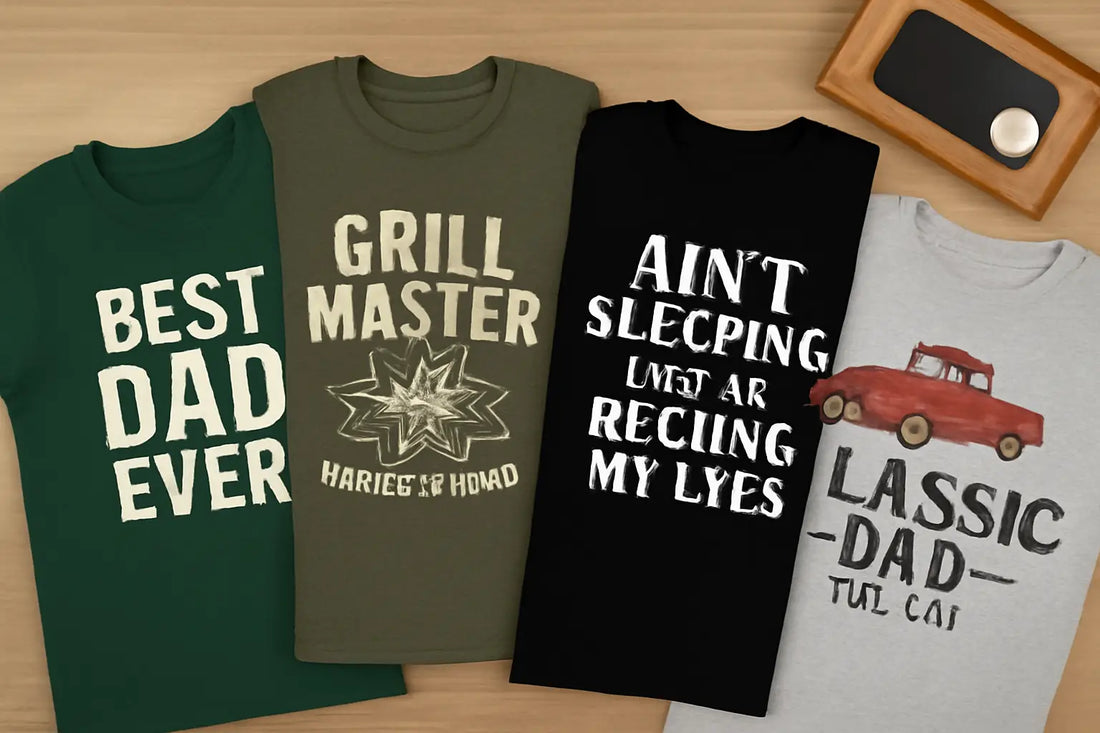
Father’s Day Shirt Ideas: 10 Trending DTF Designs for Awesome Custom Apparel
Father’s Day shouldn't be confined to June 15th. Since our dads do so much for us throughout the year, we should celebrate Father's Day every day. Are you in the spirit to honour your father, or want to create designs for your customers who love celebrating family? If so, then our round of highly profitable Father's Day shirt ideas will help you create designs that not only look good but also unify. What’s better than a shirt that shows off what Dad’s all about? With DTf transfers for father’s day, you can quickly make custom father’s day shirts that last and look great. If you run a small business, love creating new designs, or just want a shirt for your own dad, we've got some creative DTF shirt designs to get you started. Let’s check out ten awesome, trendy, and fun ideas that'll make him smile. 1. Grill Master DTF Shirt If Dad's always by the barbecue, then he needs this DTF design. Imagine flames, crossed spatulas, and text like King of the Grill. Add shine or a worn look with heat press dad shirt ideas to make a funky design that never goes out of style. These shirts are perfect for cookouts or family get-togethers as they're fun, helpful, and can be worn in any season. 2. Dad Joke T-shirt Designs Every dad's got a classic bad joke ready! Turn “I’m not sleeping, I’m just resting my eyes” into a funny DTF transfer on a cotton tee. Use playful fonts or comic bubbles to keep the content engaging and fun. DTF transfers for father’s day don't always have to use common phrases such as “Happy Father's Day”. Choose humorous jokes to make everyone groan and add lightheartedness to your custom apparel. 3. Vintage Dad Truck DTF Transfer A retro pickup is timeless. Add lines like “Classic Since 1972” for that vintage feel. Use muted reds or navy to create the perfect look. These are ideal DTF shirt designs for dad who love old-school style and casual days out. It’s a design that's both stylish and heartwarming. 4. “Best Dad Ever” Design Simple words say a lot. A bold 'Best Dad Ever' DTF design with varsity or handwritten fonts holds so much meaning. Add a small star or heart for an extra touch. Personalized designs include kids’ names or dates to make it special. These designs help dads proudly show how loved they are. 5. “Bonus Dad” Designs Celebrate stepdads, adoptive dads, or mentors with bonus dad DTF designs. Sayings like “Step Dad, Still Awesome” look great in classic black or vintage tones. It’s a gentle, meaningful way to honor father figures that aren’t too formal but feel thoughtful. 6. Matching Father-Son DTF Shirts Make Father’s Day memorable with matching shirts. Try “Big Dude / Little Dude” or “King / Prince.” Thanks to DTF's quality, designs stay bold and colorful on every size. Perfect for brunches, photos, or lounging at home, these DTF shirt designs for dad pair well with any event or occasion. 7. Funny Dad Tee Designs Dads love humor, and funny dad shirts never fail to be a hit. Slogans like “Dad Bod in Progress” or “Grill Sergeant” bring laughs. Fun fonts and retro graphics make these custom shirts look sharp. It’s a lighthearted way to celebrate Dad’s jokes, using durable DTF transfers for father’s day. 8. Fun Shirt Ideas Add something special with texture: matte letters with shiny shadows or metallic ink on black shirts. These heat press dad shirt ideas make shirts feel high-end. Pair them with slogans like “World’s Coolest Dad” or “Legend Since 1972” for unique designs that stand out. 9. Personalized Dad Tees Names, dates, or nicknames make shirts personal. Hand-lettered styles look modern on personalized dad t-shirts. These designs turn into keepsakes, whether it’s for the first Father’s Day or every year. Keep the fine details sharp so your design feels truly custom. 10. Shirts Dedicated to His Interests Golf, fishing, gaming, or cars? Make shirts that show what Dad loves! Use a golf ball with “For the Best Dad” or gaming fonts saying “Level Up Dad.” Hobby shirts consistently rank among the favorite custom father’s day shirts. Why Choose Music City DTF for Father's Day DTF Transfers You want to build a Father's Day collection that stands out among other Etsy sellers, DTF sellers, and other shops that specialize in similar graphics and designs. You can't do this alone. To outperform your competition, you need a supplier that truly understands your requirements and consistently meets your demands, ensuring you don't miss out on any opportunities. With Music City DTF, you have a supplier that consistently meets your expectations and delivers high-quality results throughout the year. Let us handle the technical aspects of DTF designs while you focus on creativity and your business's overall longevity. Final Thoughts When it comes to creating Father's Day shirt ideas, you have to choose meaningful fonts, sayings, and hobby designs that all the dads out there can relate to. Custom father’s day shirts for dad mix humor, love, and style. From grill master graphics to bonus dad designs, these ideas help you make shirts that truly mean something. Celebrate what makes him unique this Father’s Day with designs as special as he is! Ready to design shirts Dad will actually wear? Explore our trending Father’s Day DTF Transfers, from funny dad joke tees to vintage trucks and matching father-son sets. Make Father’s Day extra special with custom prints that last a lifetime. Start creating your personalized dad shirts today!
Learn more
Mother’s Day Shirt Ideas: 10 DTF Designs to Honour Mothers
Mother's Day shouldn't be a dedicated day once a year. Every day is Mother's Day. If our mothers don't stop caring for us year-round, we should honour them every day, and what better way to do that than with custom Mother's Day Shirt ideas? Our moms deserve presents they'll use, not just a bouquet. DTF printing for shirts makes it easy to create custom Mother’s Day shirts with vibrant colors and designs that last. You can sell them, gift them, or even create matching family shirts for Mother’s Day – the sky’s the limit! Here are ten groovy shirt ideas for Mother’s Day. They all look fantastic for any occasion, including Mother's Day, and are something special to guarantee Mom will love it. So let's get into it! 1. “Mom Mode: Always On” Shirts Big, bold text always works, and “Mom Mode: Always On” says it all. You can use DTF shirt designs for mom to get those words super crisp, with cool fonts or some shiny details to make the design stand out. Add icons like coffee cups or hearts to personalize it. It’s perfect for everyday wear, making it a personalized mom t-shirts favorite that moms can rock year-round. 2. Flower Shirts with Initials Pair classic flowers with your mom’s initials for a shirt that is always stylish. Floral DTF shirt designs capture the intricate details and vibrant colors of small flowers beautifully. Opt for pastels for a soft, girly vibe, or opt for bold florals to stand out. These custom mother’s day shirts feel extra special – perfect for moms who love pretty things but don’t want anything too flashy. 3. “Blessed Mama” Shirts Sweet cursive mixed with cute pics makes “Blessed Mama” shirts a winner. Add hearts, arrows, or vines to ensure the print remains sharp after washing. Choose soft pinks or neutrals for a stylish look. This design always feels right, perfect for lunch dates, relaxing at home, or capturing special moments, and classic among sentimental shirt sayings for moms. 4. Matching Mommy & Me Shirts Go fun with sayings like “Mama” and “Mini” or “Queen Bee” and “Little Bee.” DTF handles small text and detailed graphics, so add bees, crowns, or hearts. These are popular mommy and me shirt ideas, great gifts from grandparents or partners. They show that sweet mom-kid bond, perfect for photos and special outings. 5. Watercolor Heart Shirts Create big watercolor hearts in soft reds, pinks, or purples for an artsy vibe. Heat press Mother’s Day shirts with DTF capture watercolor brush strokes perfectly. Add words like “Mom” or a special date below to personalize. It feels handmade, creative, and is a top pick among best DTF designs for Mother’s Day, especially for moms who love art-inspired fashion. 6. Retro Best Mom Ever Shirts Try a vintage vibe with retro fonts and sunset or rainbow backgrounds. Use bold colors like mustard, teal, and coral for that throwback look. DTF makes every design stand out and last. These shirts suit any style, making them perfect for picnics, family gatherings, or relaxing days. It’s an old-school idea that remains fresh and popular, working for any occasion. 7. Kids' Handwriting Shirts Turn a child’s “I love you, Mom” note or doodle into a tee. Scan the drawing so that every line stays sharp and colorful. Moms adore these personalized t-shirts, wearing them or saving them as keepsakes. It’s one of the most heartfelt sentimental shirt sayings for moms you can create. 8. Home is Where Mom Is Graphic Tees Pair meaningful words with small houses, hearts, or family silhouettes. Keep colors neutral or classic black and white for a clean look. Mother’s day DTF transfers keep even thin lines bright and clear. These designs are simple but powerful, reminding everyone how much family makes a house feel like home. 9. Botanical Line Art Designs Use delicate line drawings of flowers or leaves for an elegant vibe. These don't necessarily have to be floral, but they can represent plants and the natural world. Keep the lines crisp and add light color shading. Include words like “Mama” or “Love Grows Here” in simple fonts. A favorite among DTF shirt designs for moms, this style suits those who prefer subtle, artful looks over loud prints. 10. Supermom Comic Style Tees Turn Mom into a superhero with comic bursts, bold fonts, and playful colors. DTF makes the colors vivid and lines sharp. Add extras like lightning bolts or capes for fun. Perfect for family events or photos, it’s a design kids love to give and moms love to wear. Why Choose Music City DTF for Mother's Day Shirt Ideas Mother's Day is a special occasion, but people don't buy Mother's Day Custom Apparel only around May; those who honour family are looking for custom mom designs all year. This is an opportunity for you to create apparel that you will sell. At Music City DTF, we can help you tap into this niche with consistent and durable DTF transfers that will bring you higher margins and long-lasting customer loyalty. Choose Music City DTF if you want to build a brand that promises Mother's Day, Father's Day, Fourth of July, and other transfer collections that people are willing to invest in every year. Final Thoughts Mother's Day shirts with DTF printing blend style, love, and quality. From funny mom quote t-shirts to mommy and me shirts, these designs help create gifts as unique as the moms wearing them. Celebrate creativity and family this Mother’s Day and make it one to remember with shirts specially designed for Mother’s Day. Use our Gang Sheet Builder to mix floral art, fun quotes, and matching family ideas all on one sheet. Save time, get vibrant DTF designs, and easily press your custom Mother’s Day collection!
Learn more