Key Highlights
-
Daily and weekly DTF maintenance routine not only keeps the nozzles clean but also prolongs the life of the print head.
-
The control of temperature and humidity within the limits (68–82°F and 40–60% respectively) gives a better balance between DTF print speed and quality.
-
Correct ink treatment along with the periodic shaking of white ink leads to the formation of smooth layers.
-
The use of cleaning solutions for DTF head cleaning that are approved by the printer protects the printhead.
-
Software updates are a means of fixing color problems, increasing speed, and enhancing ink usage efficiency.
If you are in a custom clothing business, your DTF printer is super important; it's the heart of your operation. If it's acting up with slow printing or clogs, that’s time and cash down the drain. But, here’s the thing: with some simple printer care, you can keep things humming, dodge big problems, and get great prints every single time while maintaining a perfect DTF print speed quality balance.
So, let’s jump into what you need to do for DTF printer maintenance to keep your DTF printer running for a long time and your work flowing while understanding how to balance speed and quality in DTF production.
1. Keep Your Printhead Sharp
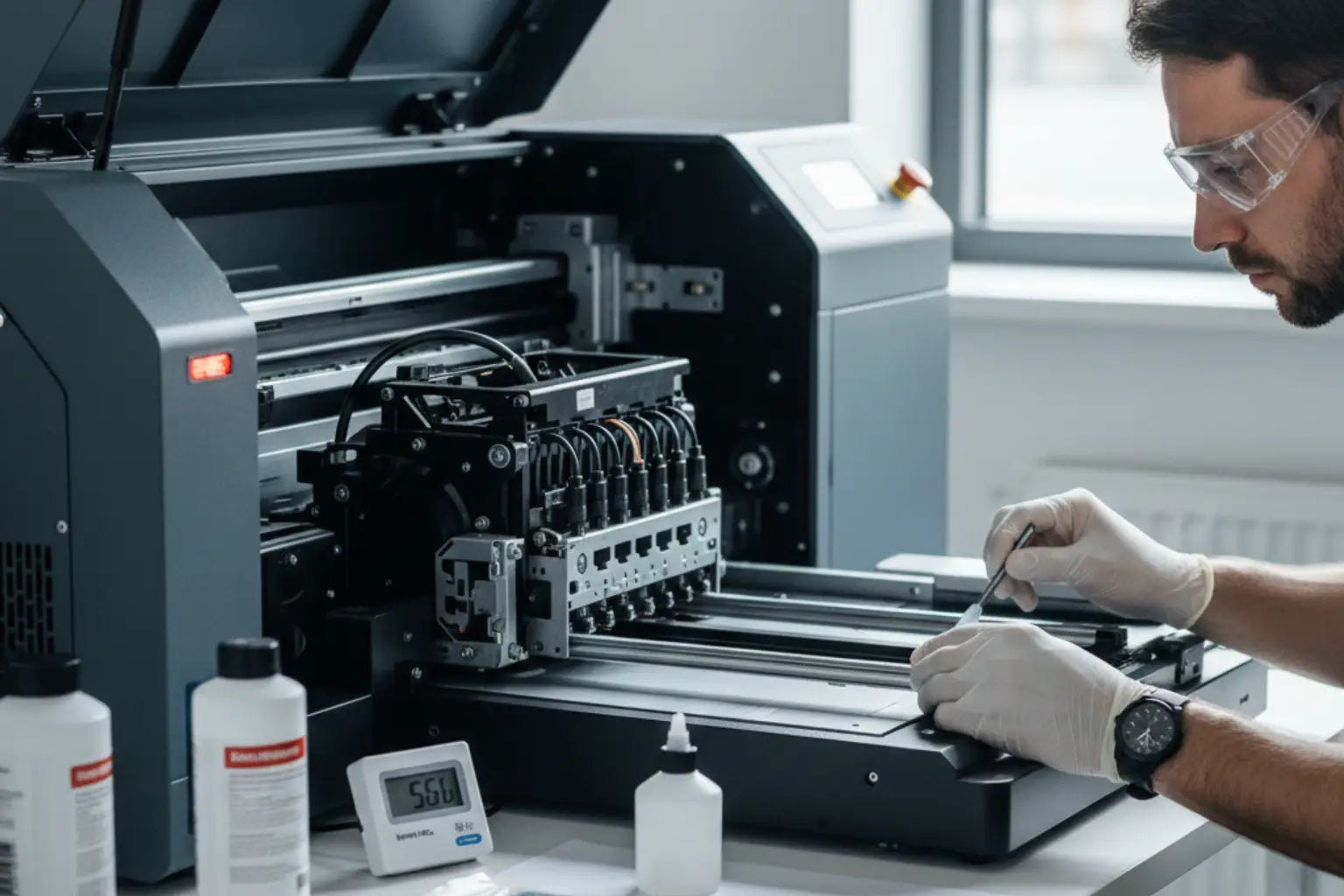
The printhead is your printer's most sensitive part, as the quality of your printer directly depends on it. If it gets blocked or dirty, expect streaks, faded stuff, or worse, broken nozzles. This is why you need a regular cleaning plan to maintain print speed vs quality DTF printing.
Daily and Weekly Quick Cleaning
Each morning, start with a nozzle check. Make sure that ink is going through correctly. If the lines are coming off broken, do a quick clean. Then, give it a proper solution clean using some lint-free swabs. This way you won't get dry ink building up, and get good output under all DTF print speed settings.
Gentle DTF Printer Maintenance
Never wipe your printhead harshly. Always make sure you use printer-approved cleaning solutions and soft swabs only. If you want to manually get in there for the clean, do it easy, and try not to touch the nozzle plate directly. That keeps the printhead in a good shape, and your prints looking fresh, neat, and vibrant, which is crucial for DTF printing speed optimization.
2. Sort Your Printing Space
Dust, humidity, and changing temperature can affect your prints and shorten your printer’s life. Making sure your space is good is a big part of caring for your DTF printer and following DTF quality control best practices.
Keep the Temperature and Humidity Steady
Keep your printing area at a nice temp, somewhere in the range of 68°F and 82°F (20°C to 28°C), and humidity should be at 40–60%. Too humid, and ink will spread and powder will clump. Too dry, and the ink dries, which means, clogs. A humidifier or dehumidifier can sort you out all year round by keeping the balance of DTF printer quality settings.
Clean Space
Dust can land on the film or the inside of your printer, which can cause the printhead to fail. Wipe down surfaces often, use air filters if you can, and cover your printer when it is just sitting idle. It will help your printer reliably run for years, improving throughput for DTF apparel printing.
3. Look After Your Ink
DTF ink, especially the white ink, needs extra care. It’s thick and settles fast; it could also dry quickly. When you maintain the ink, you ensure your printer stays in good shape while keeping your DTF print resolution vs throughput balanced.
Shake That White Ink Daily
White ink separates faster, so give it a gentle shake to mix the colors right. If you have an automatic system, even better. But still, shake it once a day to keep things good and manage DTF pass count vs print time for smoother color layers.
Store Ink Right
Make sure all your ink bottles are standing upright somewhere cool and dry. Keep it away from sun or heat. Also, never mix old ink with new; they can react, clog, and break your printhead. Stick with inks that are made for your printer for the best results and steady DTF printer performance comparison.
4. Protect Your Film and Powder Area
If the printer and ink are perfect, how you treat your film and powder can change everything. If you keep the supplies clean, you avoid print issues or reprints, which is key for reducing the trade-off between speed and detail in DTF printing.
PET Film Storage
When you aren't using the PET film, make sure that it is sealed and stored flat. Never touch the side that’s printable, because fingerprints and dust can cause the ink to spread evenly. Just hold it around the edges carefully for smoother DTF print speed quality balance.
Keep the Powder Dry
The powder needs to stay dry and without clumps. If the air is humid, keep the powder in sealed containers. Additionally, shake it a little before you add it in. And when you’re done, clean the powder tray to prevent problems.
Why Choose Music City DTF for Reliable Printer Solutions
At Music City DTF, we get that your printer is super important to your business. That's why our DTF printers are made to last, with good ink flow, great printheads, and designs that are easy to clean. We also sell high quality PET film, powders, and inks that are made to keep your machine in good shape and your prints looking perfect with ideal DTF print speed settings.
With equipment you can trust, and support from experts, you’ll get to spend more time designing apparel and less time fixing problems thanks to DTF printing speed optimization.
Check out our DTF printers today and start printing with Music City DTF, your source for DTF quality control best practices that extend printer lifespan.
Frequently Asked Questions
1. How often should I clean my DTF printer?
Do a quick clean every day and a bigger clean once a week. Keeping it clean helps the ink flow and stops blockages. This also helps your printer last longer while improving throughput for DTF apparel printing.
2. What’s the best way to keep DTF inks?
Keep your inks closed tight and standing up at room temperature. Shake the white ink every day; also, don't mix different brands. If you store them right, the ink will stay good and won’t clog easily, ensuring smooth DTF print resolution vs throughput.
3. Can a dirty room affect my printer’s life?
Yes. If your workspace is dusty, humid, or hot, it can mess up your print quality and harm your printer over the long haul. Keep the room steady and clean for good DTF pass count vs print time performance.
4. Why should I get new printer software?
Getting new software updates makes your printer faster, fixes color issues, and helps it use ink better. Keeping it current maintains strong DTF printer performance comparison metrics.
5. What can I do to make my printer last as long as possible?
Do a little maintenance every day, use good inks and films, clean your workspace, and be gentle with your printheads. Taking regular care of it helps you avoid the trade-off between speed and detail in DTF and adds years to your printer’s life.
6. When should I change my printhead?
Printheads may last from several months to several years depending on their usage. In case you see streaks, fading, or clogs that are not removed by cleaning, then it is probably the right time for the replacement.
7. Is it acceptable to use generic powders and films with DTF printers?
Some generic supplies may work, but, as per DTF printer cleaning tips, using quality films and powders that are tailor-made for your machine only will save you from clumping, uneven prints, and clogging, which would otherwise take your speed-quality balance and reprints up.
8. Would it be a good idea to shut down my printer when not in use?
Yes. Powering down when it's not in use leads to less printhead and ink system wear. For long periods of not using the printer, a cleaning cycle should be run prior to shutting down.
9. What can I do to prevent ink mixing issues?
Always keep old ink and new ink separate and avoid using inks from different brands in the same system. White ink in particular separates fast. Adhering to proper DTF printer care guide procedures improves DTF resolution and keeps print quality consistent, preventing DTF printer issues.
10. Will DTF printer maintenance be automated?
A number of modern DTF printers have built-in automatic cleaning and ink circulation systems. Utilizing them is a time saver, keeps DTF printer performance comparison stable, and facilitates a smooth workflow for small or large-scale printing operations.